Publish your podcast to YouTube in minutes
Reach your audience on the largest search engine - and the #1 podcasting platform on the internet. We convert your podcast audio into beautiful videos and publish them automatically.
Castos is trusted by the top creators

Benefits of YouTube republishing
Reach a wider audience, ramp up your SEO, and tap into the largest streaming platform - without changing a thing about how you publish.
Bigger reach
Share your content with a wider audience. YouTube reaches more listeners than any other platform - meet them where they already are.
Zero extra effort
Republishing happens dynamically when you publish. Set it once and we take care of the heavy lifting for you.
Enhanced SEO
Amp up your search results. Every episode is indexed on YouTube and Google, with your custom thumbnail and description.
Included free
YouTube republishing is included free on Castos' Growth and Pro plans. Upgrade right inside your dashboard.
How does it work?
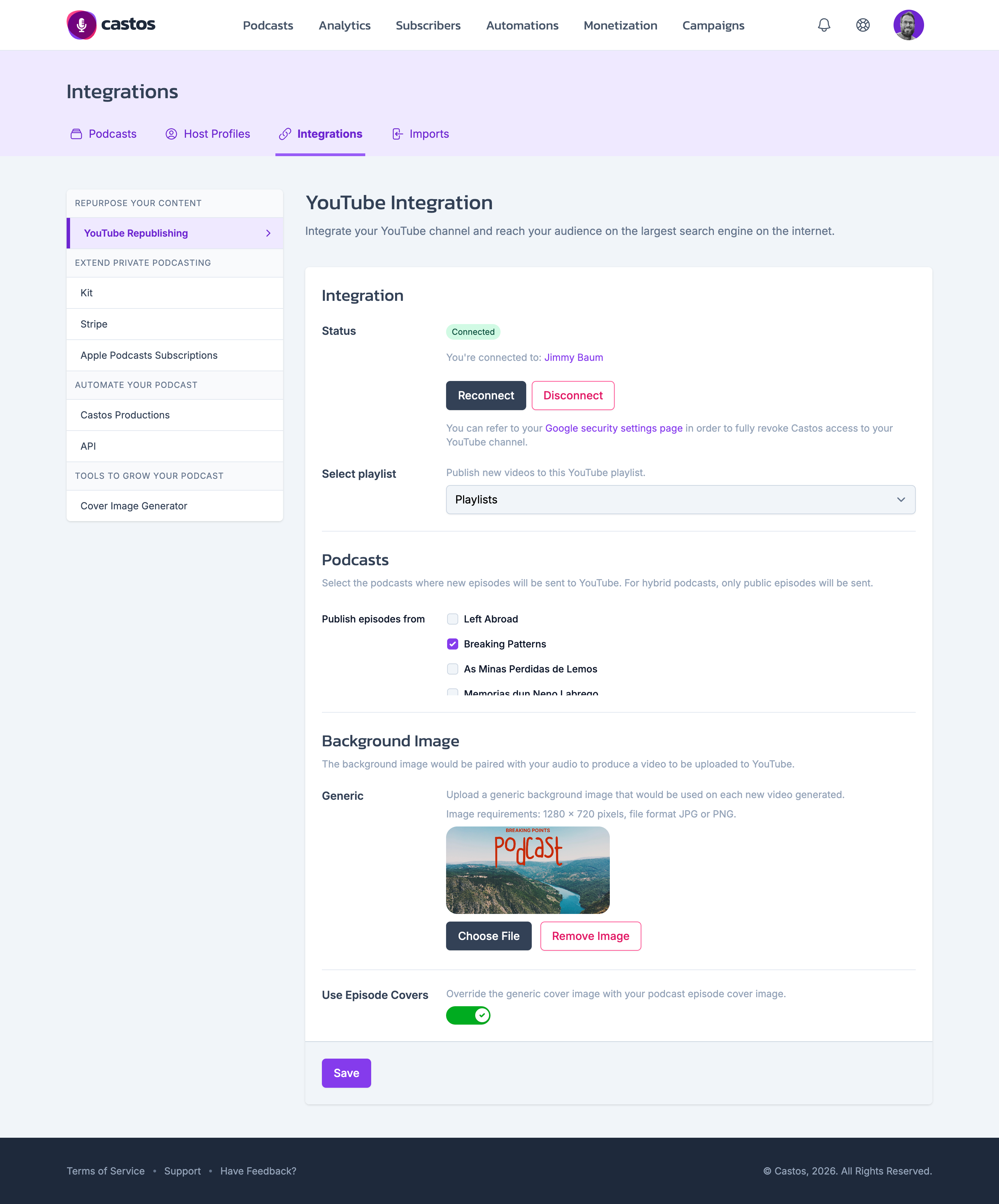
YouTube Republishing lives right inside your Castos dashboard. One-time setup, zero ongoing maintenance.
One-time connection
Create a one-time connection between your Castos account and the YouTube channel of your choice. After that, every new episode is published to YouTube automatically.
Custom background image
Upload a personalized background image for your videos. The same image is used for each video - no extra steps per episode.
Already publishing video?
If you upload video to Castos, it's pushed directly through to your YouTube channel - giving you an easy way to publish video and audio in one place.
Perfectly timed publishing
Videos are created and pushed when each episode goes live. Schedule ahead, and the YouTube upload appears a few moments after the podcast does.
Get on YouTube in 3 steps
Two clicks to connect, one to upload a background image, then forget about it.
-
Connect your YouTube channel
Authorize Castos to publish to the YouTube channel of your choice from the Republishing tab in your dashboard.
-
Upload a background image
Pick a single branded background and we'll use it for every episode's video - no per-episode artwork required.
-
Publish as usual
Every new podcast episode automatically becomes a YouTube video, with your thumbnail, title, and description carried over.
Get on YouTube without changing how you podcast
Included free with Growth and Pro plans. Spin it up in minutes, then watch your show reach a brand new audience.