Best Microphones for Podcasting in 2026: Complete Buyer's Guide

Your microphone is the one piece of gear that can make or break your entire show. Seriously: people will put up with a lot, but muffled, echoey, or tinny audio? They’re gone in under a minute. No fancy editing trick in the world can save a bad recording.
The good news? You don’t need to spend thousands of dollars to sound professional. Whether you’re launching your first show from a spare bedroom or upgrading your established podcast’s production quality, there’s a microphone that fits your needs and budget.
In this guide, we’ll walk you through everything you need to know about microphones for podcasting. You’ll learn the difference between microphone types, discover our top recommendations across every price range, and understand exactly what features matter most for podcast recording. For hands-on reviews of individual models, our podcast microphone reviews have you covered.
Understanding Podcast Microphone Types
Before diving into specific recommendations, you need to understand the fundamental differences between microphone types. This knowledge will help you make a smarter purchasing decision based on your recording environment and technical comfort level.
Dynamic vs. Condenser Microphones
The two main categories of microphones for podcasting are dynamic and condenser. Each has distinct characteristics that make them better suited for different situations.
Dynamic microphones work like a microphone at a live rock concert. They’re built to capture the voice directly in front of them while rejecting background noise. If you’re recording in an untreated room, near a busy street, or anywhere with ambient sound, a dynamic mic will be far more forgiving. They’re also more durable and don’t require external power.
Condenser microphones are built to capture every subtle detail in your voice. Think of them as a magnifying glasses for your voice, picking up crisp highs and nuanced tones. However, this sensitivity cuts both ways. They’ll also capture room echo, air conditioning hum, keyboard clicks, and that neighbor’s dog barking. Condenser mics work best in acoustically treated spaces with minimal background noise.
For most podcasters, especially beginners, dynamic microphones are the safer choice. They hide imperfections in your recording environment and deliver consistent results without requiring expensive acoustic treatment.
USB vs. XLR Connections
The second major decision involves how your microphone connects to your recording setup.
USB microphones plug directly into your computer and work immediately. They’re plug-and-play devices that don’t require any additional equipment. This simplicity makes them perfect for beginners, solo podcasters, and anyone who values convenience over maximum flexibility.
XLR microphones require an audio interface or mixer to connect to your computer. While this adds complexity and cost, XLR setups offer superior sound quality, more control over your audio signal, and easier expansion when you need multiple microphones for guests or co-hosts.
Many podcasters start with USB and graduate to XLR as their shows grow. Some newer microphones offer both connection options, giving you the best of both worlds.
Best Budget Microphones for Podcasting (~$100 USD)
Starting a podcast doesn’t require a massive upfront investment. These budget-friendly options deliver surprisingly good audio quality without breaking the bank.
Samson Q2U ($99 USD)
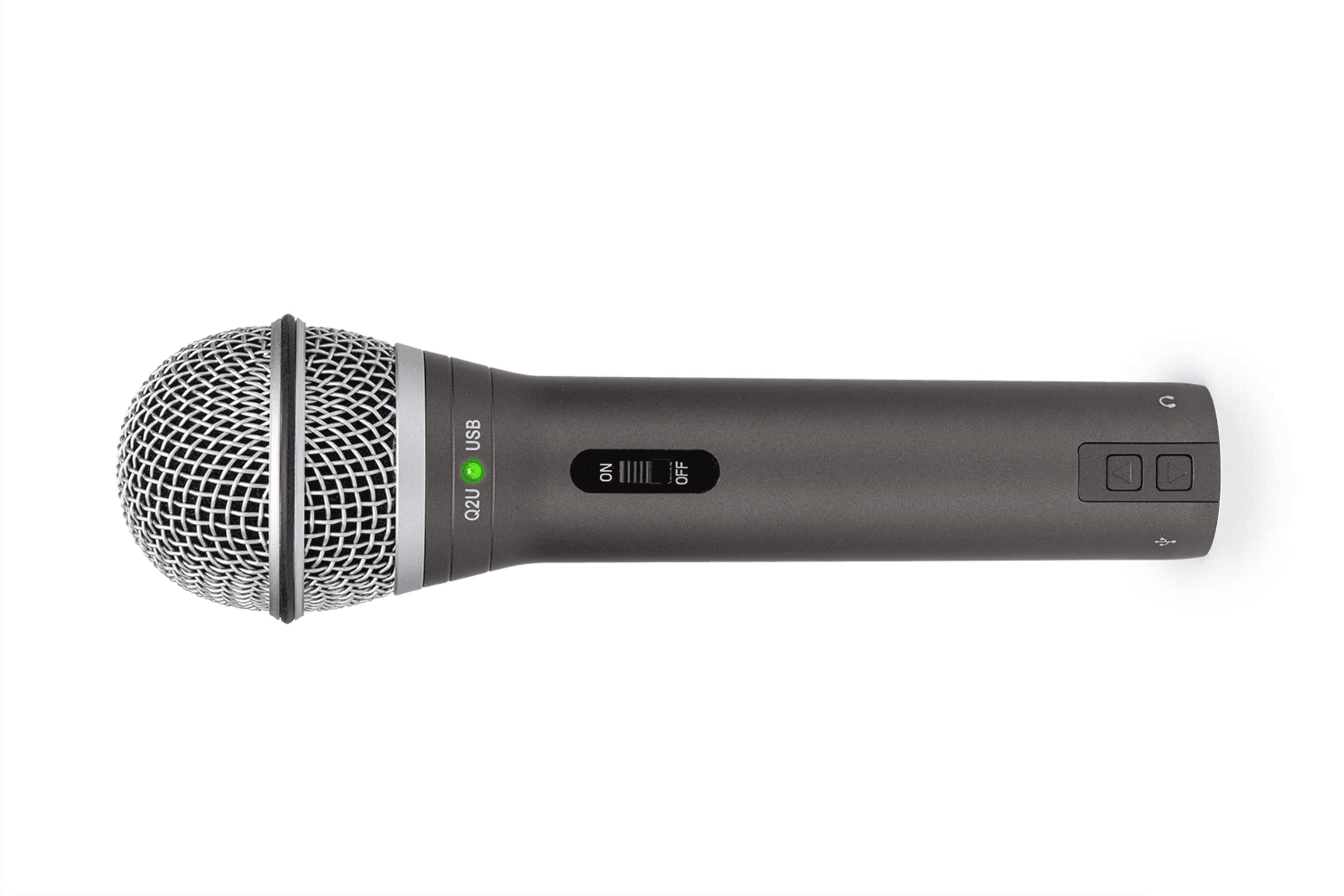
The Samson Q2U consistently ranks as the top recommendation for new podcasters, and for good reason. This dynamic microphone offers both USB and XLR connections, meaning you can start simple and upgrade your setup later without buying a new mic.
Key features include:
- Dual USB/XLR connectivity for maximum flexibility
- Built-in headphone jack for zero-latency monitoring
- Solid dynamic capsule that rejects background noise
- Desktop tripod stand and accessories included
The Q2U won’t match the audio quality of professional broadcast microphones, but the difference is far smaller than the price gap suggests. For podcasters recording in less-than-ideal environments, this mic’s noise rejection actually produces cleaner results than many expensive condenser alternatives.
Audio-Technica ATR2100x-USB ($99 USD)
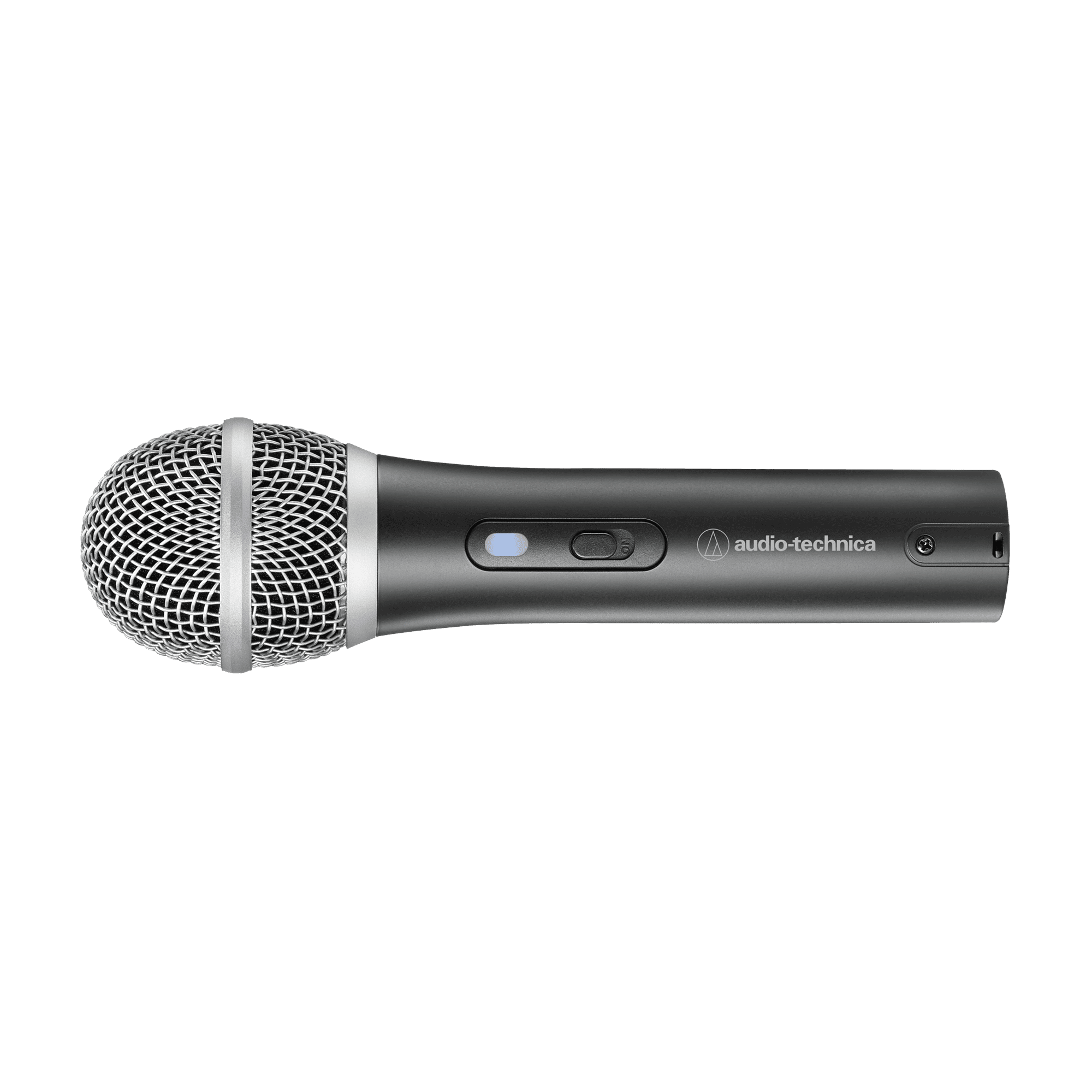
Note: Audio-Technica discontinued the ATR2100x-USB, but some stock is still available:
Audio-Technica brings serious audio engineering pedigree to the budget category. The ATR2100x delivers noticeably richer sound than cheaper alternatives while maintaining the beginner-friendly USB/XLR hybrid design.
What makes it stand out:
- Cardioid polar pattern focuses on your voice
- Smooth, natural frequency response
- USB-C connection (plus XLR output)
- Built-in headphone monitoring with volume control
If you have slightly more budget and want audio quality that will serve you well as your podcast grows, the ATR2100x represents excellent value. The USB-C connection is also a welcome modern touch.
Audio-Technica AT2040 Hypercardioid Dynamic Podcast Microphone (~$99 USD)
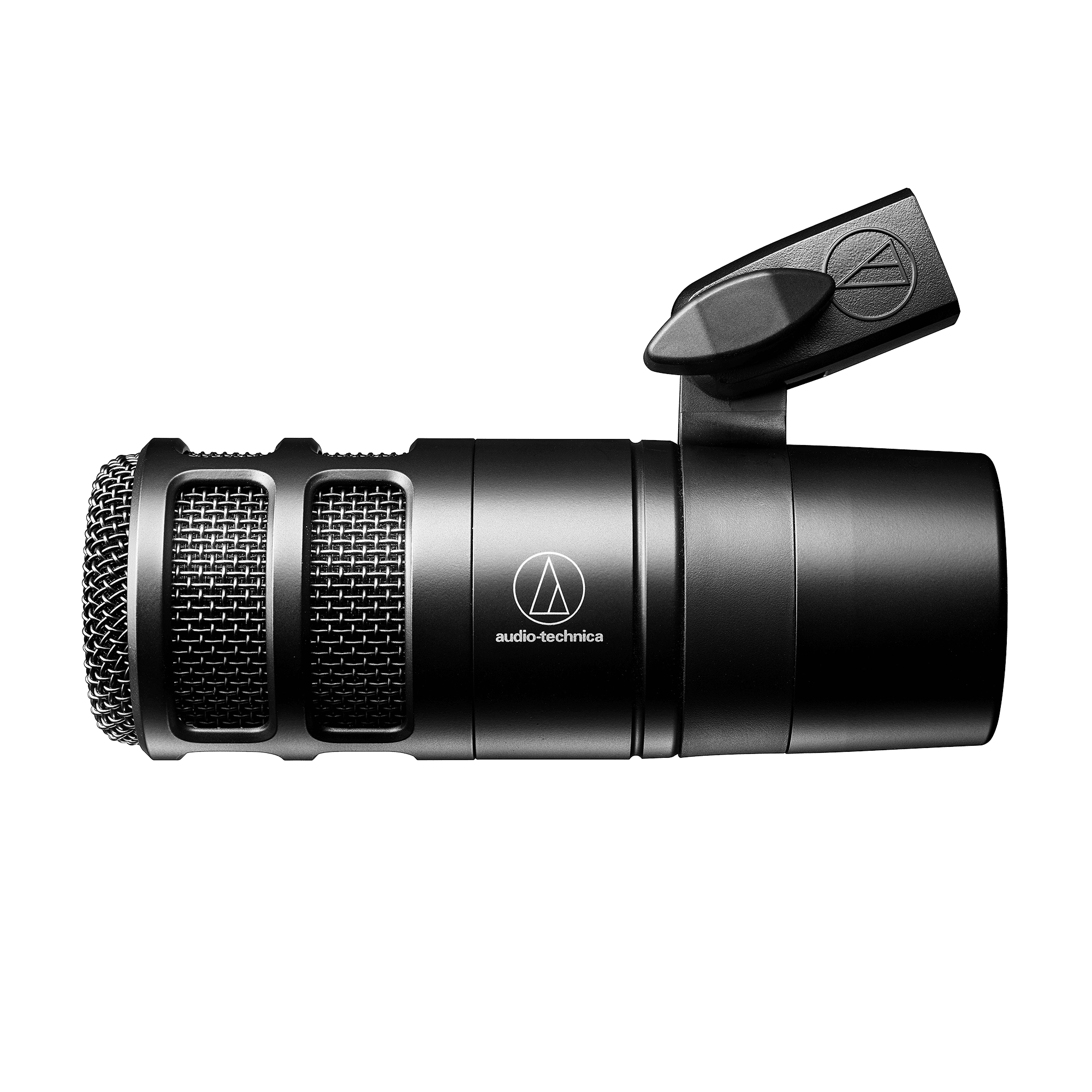
Audio-Technica designed the AT2040 specifically for podcasters who want a more professional, broadcast-ready sound while staying firmly in the sub-$100 range. While it skips USB entirely in favor of an all-XLR approach, the payoff is a cleaner, more focused vocal capture with notably better noise rejection than most entry-level dynamics.
What makes it stand out:
- Hypercardioid polar pattern provides exceptional isolation and minimizes room noise
- Smooth, broadcast-style frequency response with strong plosive control (thanks to a multistage internal grille)
- Full, detailed midrange that sits naturally in a mix with minimal EQ
- Handles extremely loud voices with ease due to its high max SPL
- Durable, all-metal construction that feels premium
If you want to elevate your vocal clarity and background noise rejection without stretching your budget, the AT2040 delivers a level of professionalism that’s very good at this price.
RØDE PodMic ($99 USD)
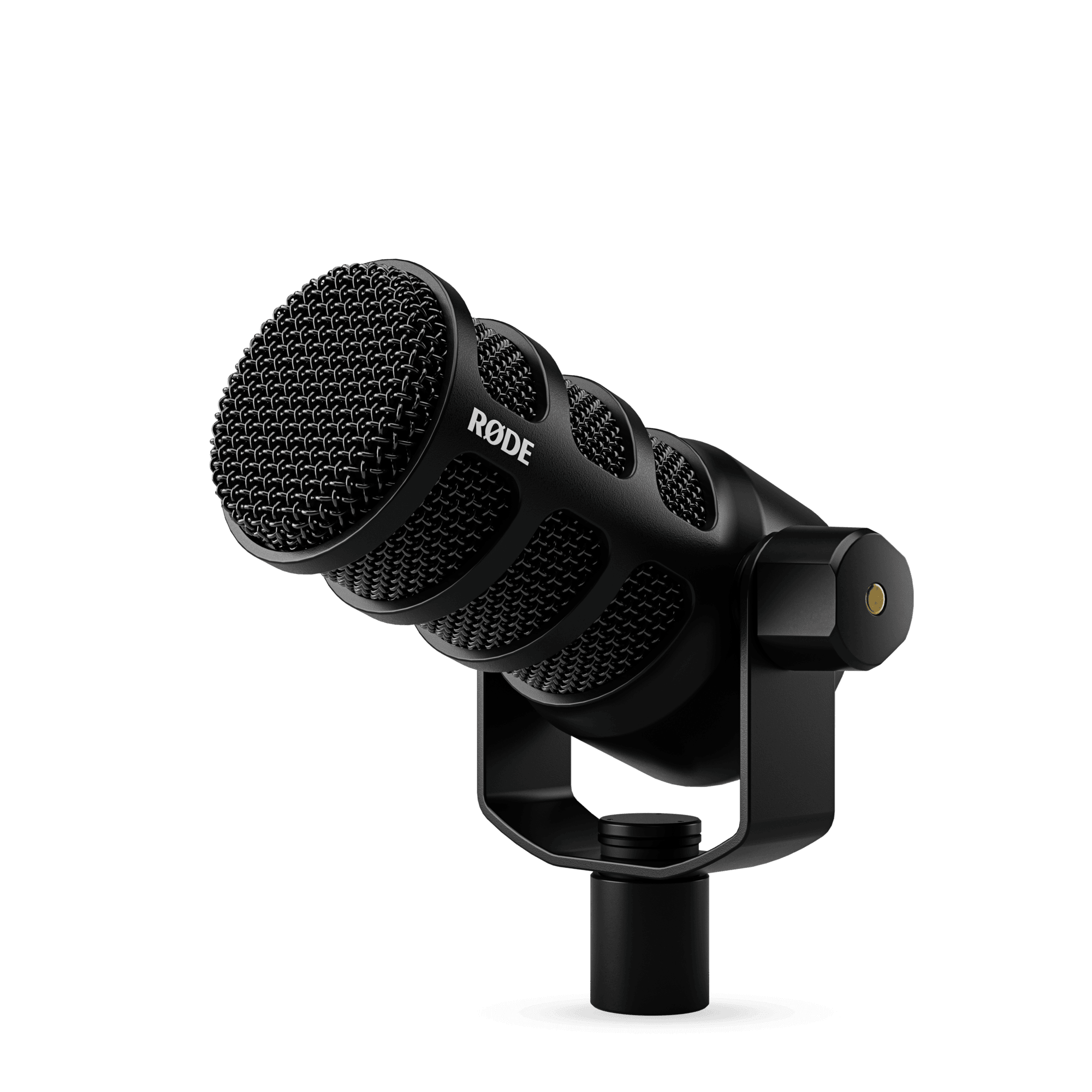
RØDE designed the PodMic specifically for podcasting rather than adapting a general-purpose microphone. This XLR-only dynamic mic integrates a shock mount and internal pop filter, reducing the accessories you need to purchase separately.
Notable characteristics:
- Broadcast-quality dynamic capsule
- Built-in shock mounting and pop filtering
- Bright, articulate tonal quality
- Heavy, stable design that stays in position
The PodMic requires an audio interface since it lacks USB connectivity. However, if you’re ready to invest in an XLR setup from the start, this purpose-built podcasting microphone delivers exceptional value.
Best Mid-Range Microphones for Podcasting ($150-$300 USD)
Stepping up to the mid-range unlocks noticeably better audio quality and build quality. These microphones represent the sweet spot for serious podcasters who want professional results without professional prices.
Shure MV7+ ($269 USD)
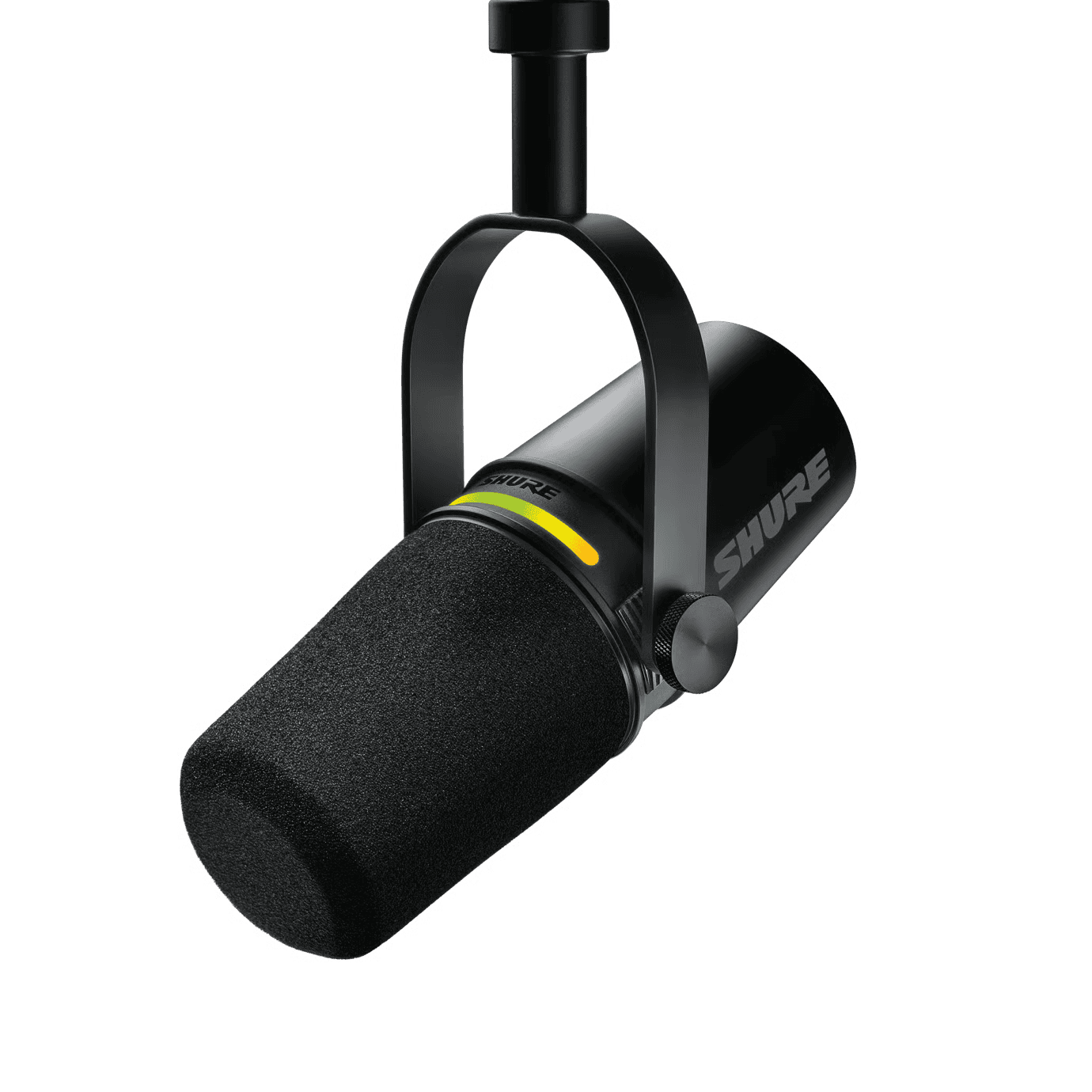
The Shure MV7 quickly became one of the most popular podcast microphones after its release, and the updated MV7+ improves on an already excellent formula. Marketed as offering “perfect sound in imperfect rooms,” this mic lives up to the promise.
Why podcasters love it:
- Hybrid USB and XLR connectivity
- Built-in DSP with customizable presets
- Touch panel controls for real-time adjustments
- Stunning design that looks great on camera
The MV7+ strikes the ideal balance between sounding professional and being practical for everyday use. Its dynamic element handles untreated rooms gracefully, while the built-in processing can add polish without external equipment. If you want one microphone that will serve you well for years, this is our top recommendation for most podcasters.
RØDE NT-USB+ ($179 USD)
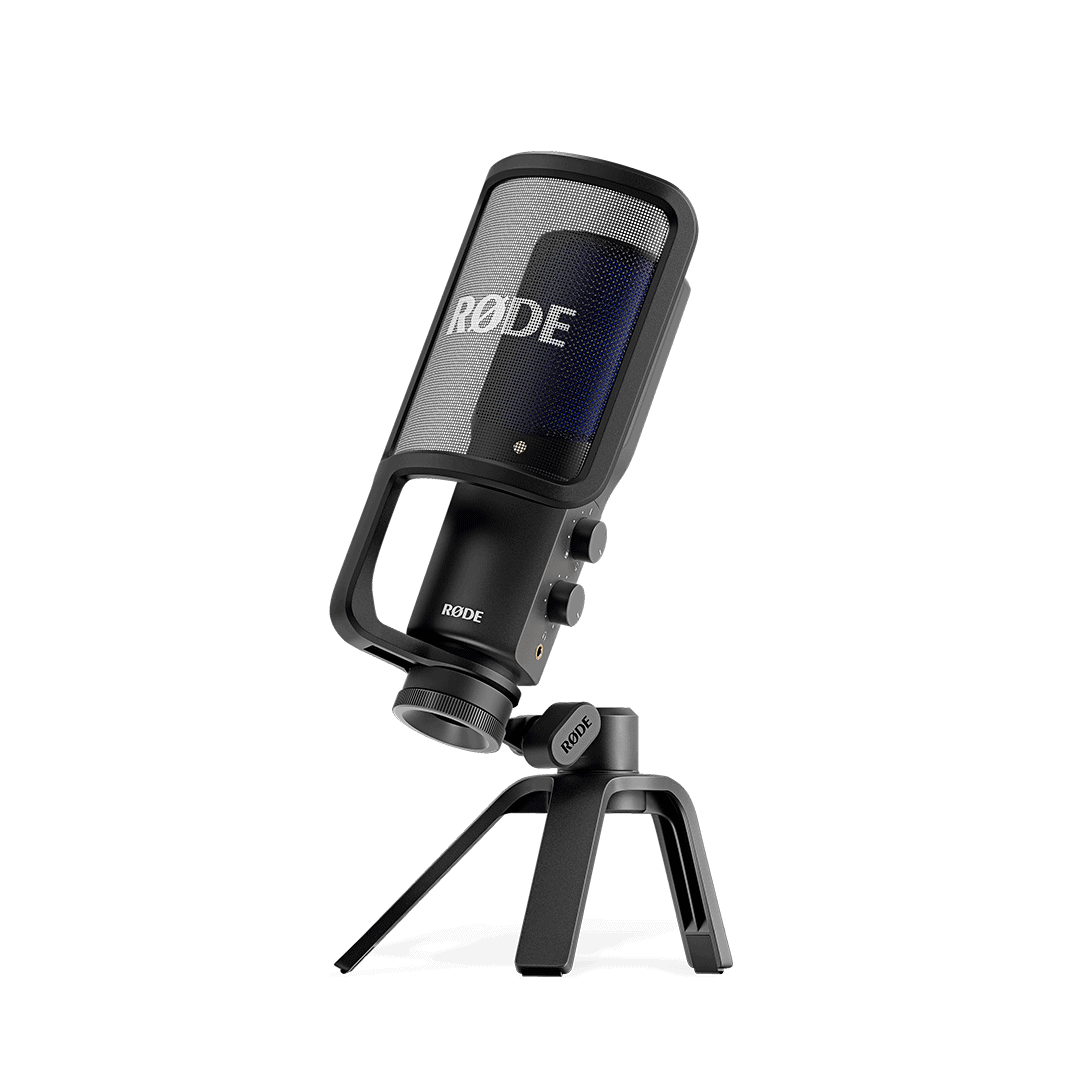
RØDE’s NT-USB+ takes USB microphones seriously, packing professional features into a plug-and-play package. Unlike most USB mics, this condenser model includes built-in APHEX audio processing and a high-quality preamp.
Standout features:
- Studio-quality condenser capsule
- Built-in APHEX processing (compression, high-pass filter, aural exciter)
- Crystal-clear 24-bit/48kHz audio
- Companion app for detailed adjustments
This mic suits podcasters with reasonably quiet recording spaces who want the convenience of USB with near-XLR quality. The built-in processing is genuinely useful, not a gimmick.
RØDE Procaster ($239 USD)
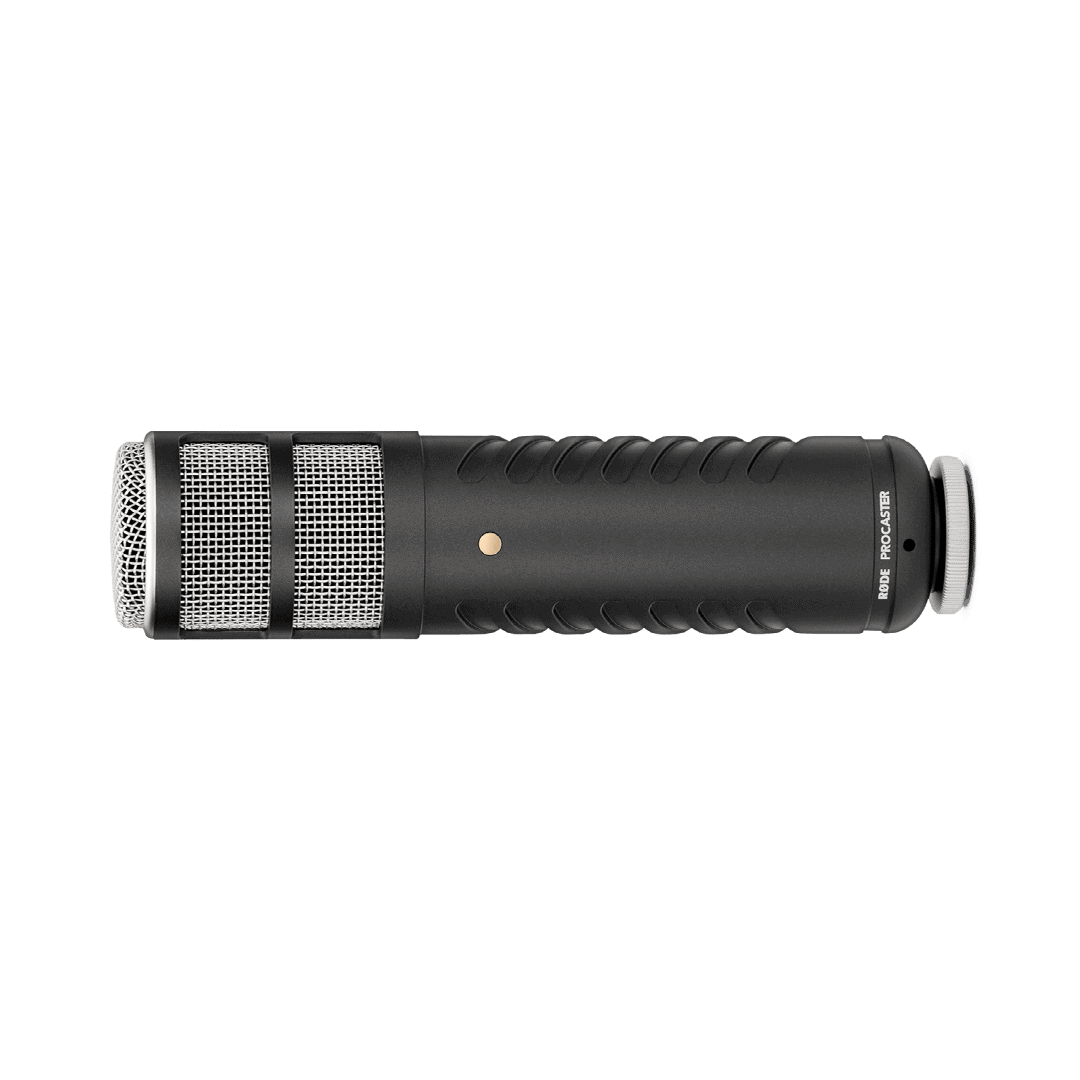
The Procaster represents RØDE’s dedicated broadcast microphone, engineered specifically for voice recording in spoken-word applications. This XLR-only dynamic mic has become a favorite among professional podcasters and radio hosts.
Professional features include:
- Tailored-for-voice frequency response
- Tight polar pattern for excellent noise rejection
- Internal pop filter
- Built to withstand daily professional use
If you record frequently and want broadcast-quality audio, the Procaster delivers. You’ll need an audio interface with adequate gain, as this mic requires more power than average.
Best Professional Microphones for Podcasting ($300+ USD)
These industry-standard microphones are found in professional studios worldwide. They represent the pinnacle of podcast audio quality but come with higher price tags and steeper learning curves.
Shure SM7B ($399 USD)
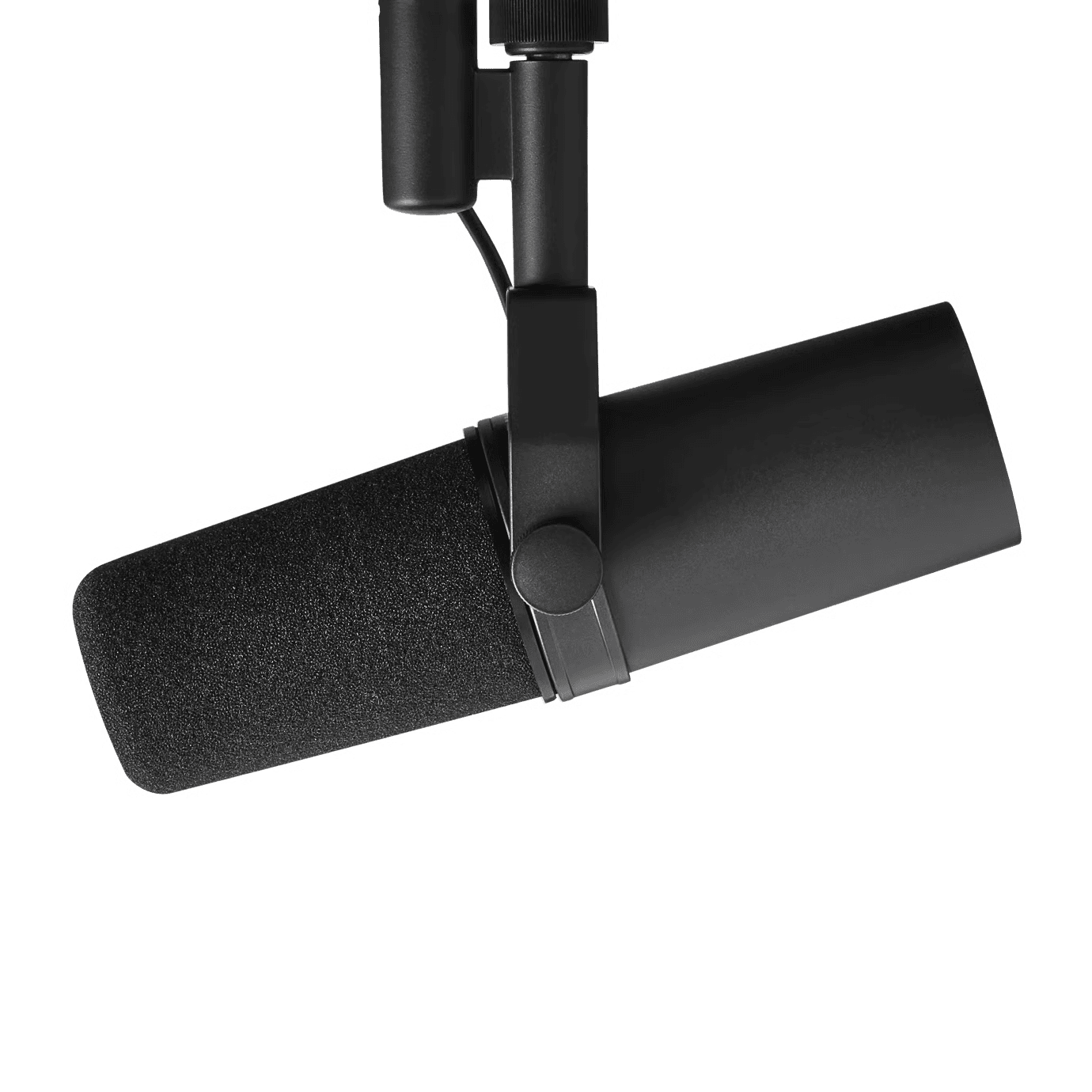
The Shure SM7B is the most famous podcast microphone in the world, gracing countless professional studios and high-profile shows. Originally released in 1973, this broadcast legend remains the gold standard for podcast audio.
What makes it legendary:
- Smooth, flat, wide-range frequency response
- Exceptional off-axis rejection kills background noise
- Air suspension shock isolation
- Virtually indestructible build quality
The SM7B requires a quality preamp with substantial gain, as it’s a “quiet” microphone that needs amplification. Budget for a Cloudlifter or similar gain booster if your interface doesn’t provide enough clean gain.
For podcasters recording in challenging acoustic environments, the SM7B’s noise rejection is unmatched. It sounds fantastic on virtually any voice type and forgives technical imperfections that would ruin recordings on more sensitive mics.
Electro-Voice RE20 ($449 USD)
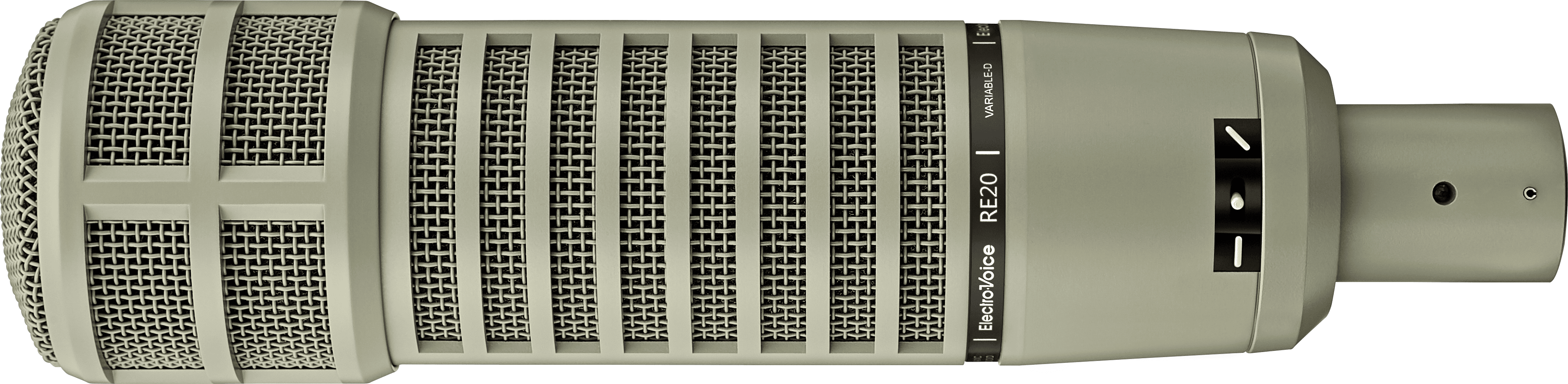
The RE20 has been a broadcast standard for decades, found in radio stations worldwide. Voice-over artists and podcasters prize this microphone for its warm, detailed sound and remarkable consistency.
Professional advantages:
- Variable-D technology eliminates proximity effect
- Extremely consistent sound regardless of angle
- Heavy bass response suits many voice types
- Built for 24/7 professional broadcast use
The RE20’s ability to maintain consistent tone when you move around the mic makes it forgiving during energetic conversations or interviews. It’s particularly flattering on deeper voices.
Heil PR40 ($349 USD)
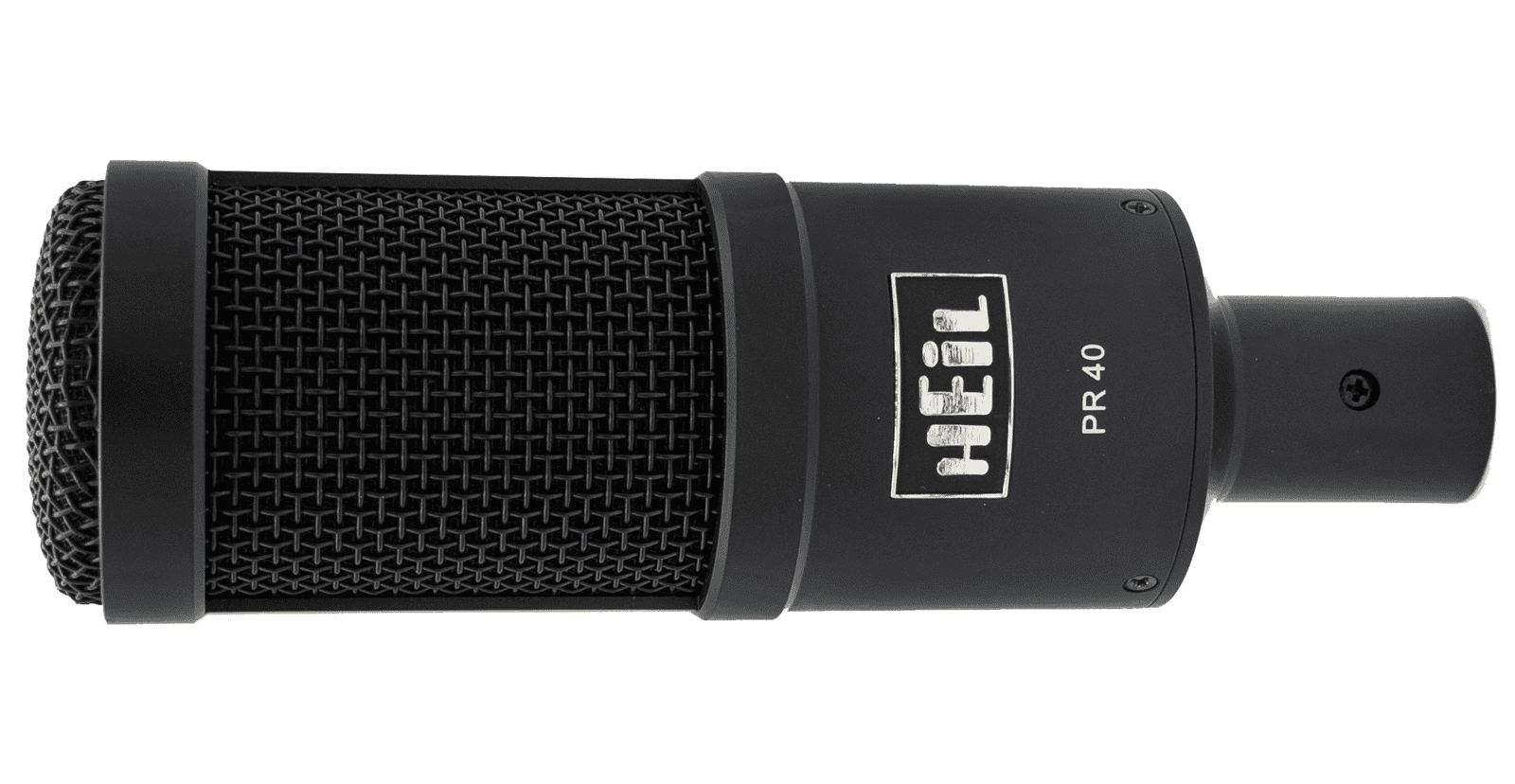
Heil Sound built its reputation in live sound reinforcement, and the PR40 brings that engineering excellence to broadcasting. Many podcasters prefer its slightly brighter character compared to the SM7B.
Key strengths:
- Articulate, present sound quality
- Excellent transient response captures dynamics
- Wide frequency range (28Hz-18kHz)
- Handles high SPL for animated hosts
The PR40 excels at making voices cut through a mix clearly. If you publish video content or your voice tends toward the bass-heavy side, this mic’s brightness provides excellent balance.
Choosing the Right Microphone for Your Podcast
With so many excellent options available, how do you decide? Consider these factors to narrow down your choice.
Your Recording Environment
Your recording space plays a big role in choosing the right microphone. Consider the setup you’ll be working with:
Untreated room with background noise: Choose a dynamic microphone like the SM7B, Samson Q2U, or RØDE PodMic. These reject off-axis sound and forgive acoustic imperfections.
Quiet, treated space: You can take advantage of condenser microphones’ superior detail and sensitivity. The NT-USB+ or a dedicated studio condenser will shine here.
Variable conditions: The Shure MV7+ handles multiple situations well and gives you adjustment options for different recording scenarios.
Your Technical Comfort Level
Think about the kind of setup that feels right for you:
Plug-and-play: USB microphones like the Samson Q2U, RØDE NT-USB+, or Shure MV7+ work out of the box without additional gear.
Open to exploring more: XLR setups with an audio interface offer more control and better long-term flexibility. Start with the RØDE PodMic or Procaster and a quality interface like the Focusrite Scarlett series.
Your Budget and Growth Plans
Choose gear that matches where you are now and where you want to go:
Starting out: The Samson Q2U or ATR2100x offer great sound without a big investment, making them ideal while you’re testing your podcast concept.
Building momentum: A mid-range option like the MV7+ provides long-lasting quality and can support your show as it grows.
Professional production: If podcasting is central to your work, premium microphones like the SM7B deliver top-tier audio that supports audience growth and appeals to advertisers.
Essential Accessories for Your Podcast Microphone
The microphone is only part of your audio chain. These accessories can help maximize your sound quality regardless of which mic you choose.
Pop Filter or Windscreen
Plosive sounds (words with /p/, /b/, /t/, /k/ sounds) create bursts of air that hit your microphone and cause unpleasant thumps in your recording. A pop filter or foam windscreen blocks these air blasts while letting your voice through cleanly.
Budget $15-$30 for a quality pop filter that mounts on your mic stand. Some microphones like the RØDE PodMic include internal filtering, but an external pop filter provides better protection.
Boom Arm or Mic Stand
Getting your microphone positioned correctly requires a stable mounting solution. Desktop tripod stands work for beginners but limit your positioning options and transmit desk vibrations to your recording.
A boom arm mounts to your desk and allows precise positioning of your microphone at the optimal distance from your mouth. Models from RØDE, Blue, and generic manufacturers range from $30 to $150.
Shock Mount
Shock mounts suspend your microphone in elastic bands that absorb vibrations from your desk, floor, and environment. They’re essential for capturing clean audio, especially if you type during recording or have a less-than-solid desk.
Many microphones include compatible shock mounts. If yours doesn’t, budget $30-$80 for an appropriate model.
Headphones
You need headphones to monitor your audio while recording. This allows you to catch problems immediately rather than discovering them during editing.
Closed-back headphones prevent sound from leaking into your microphone. The Audio-Technica ATH-M50x ($130 USD) and Sony MDR-7506 ($100 USD) are industry standards that serve podcasters well.
Setting Up Your Podcast Microphone
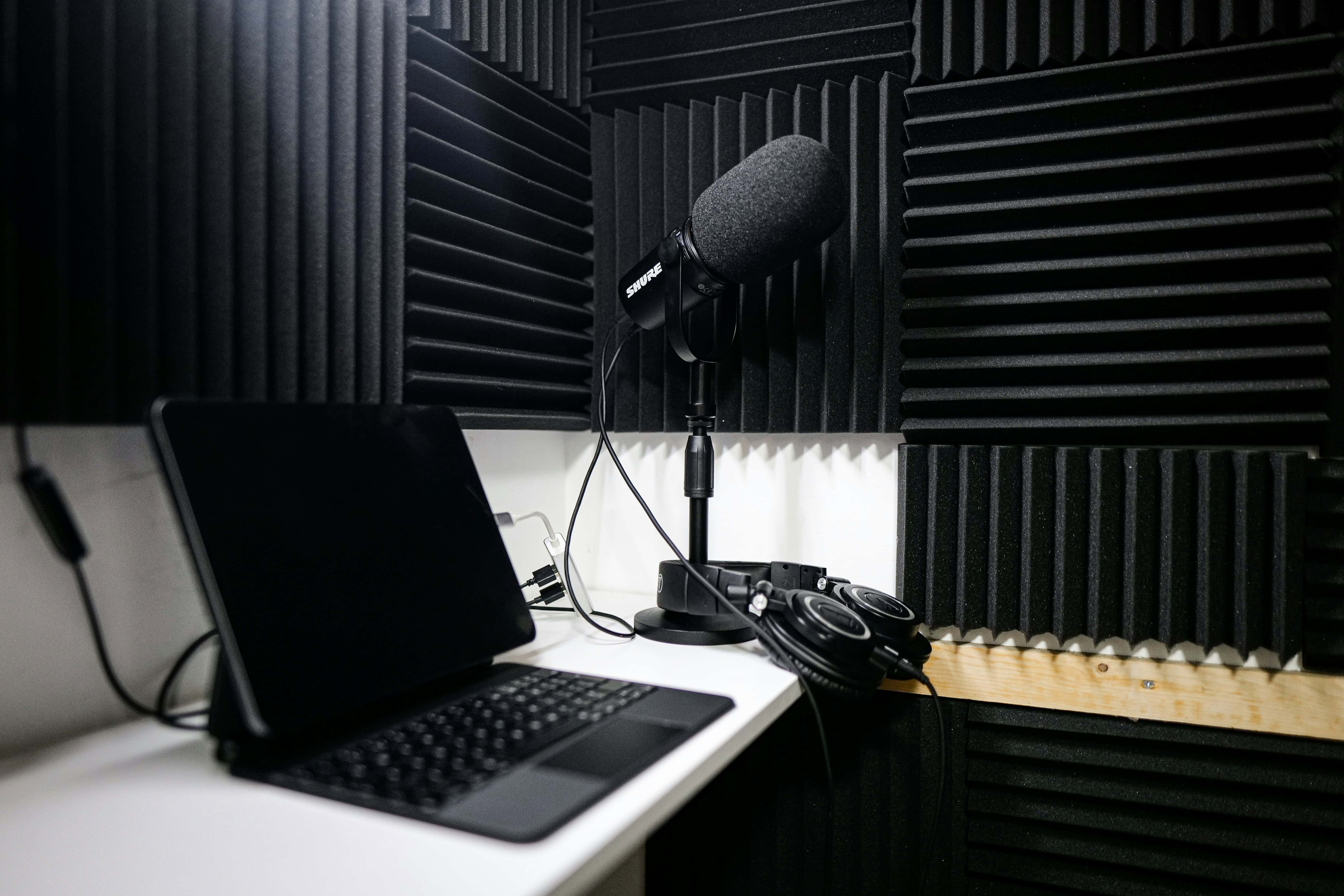
Great sound isn’t just about the gear. It’s also about how you use it. A few simple habits can make a big difference in your recordings.
Optimal Microphone Distance
Aim to keep your microphone about 4–8 inches from your mouth. This range helps you sound clear and natural:
- Getting too close can make your voice overly bassy and increase plosives.
- Sitting too far away brings in extra room noise and can make your voice sound thin.
Try speaking slightly across the mic instead of straight into it. This keeps your tone full while naturally reducing harsh pops.
Gain Staging
Set your levels so your voice peaks around -12dB to -6dB during normal conversation. This gives you enough room for louder moments without risking distortion.
- With USB microphones, you’ll adjust gain inside your recording software.
- With XLR setups, you’ll set your gain on the audio interface or mixer.
These small tweaks go a long way toward achieving clean, professional audio.
Room Treatment Basics
Even without professional acoustic treatment, you can improve your sound:
- Record in a room with carpet, curtains, and soft furniture
- Avoid rooms with parallel hard surfaces that create flutter echo
- Position yourself away from walls and corners
- Consider a portable vocal booth or reflection filter for challenging spaces
For a comprehensive guide to optimizing your recording space, check out our podcast studio setup guide.
Common Podcast Microphone Questions
What’s the difference between a podcast microphone and a regular microphone?
Podcast microphones are optimized for speech rather than music or general audio capture. They typically emphasize frequencies that make voices clear and intelligible while rejecting background noise. Many also include features like built-in shock mounting, pop filtering, and headphone monitoring that benefit podcast workflows.
That said, many excellent podcast microphones are simply broadcast or studio microphones repurposed for podcasting. The SM7B, for example, was designed for radio broadcasting and recording studios long before podcasting existed.
Do expensive microphones really sound better?
Yes, but with diminishing returns. The jump from a $50 microphone to a $150 microphone is dramatic. From $150 to $300, the improvement is noticeable but smaller. Above $300, differences become subtle and increasingly dependent on your voice, recording environment, and processing.
A $100 microphone in a treated room with proper technique will sound better than a $400 microphone in a reverberant space with poor positioning. Strong fundamentals like good positioning, a controlled environment, and solid microphone technique make a bigger impact than price alone.
Should I buy a USB or XLR microphone?
For most beginning podcasters, USB provides the fastest path to making content. You can start recording immediately without additional equipment or learning curves.
Choose XLR if you need multiple microphones for guests or co-hosts, want maximum audio quality and control, or plan to expand your setup over time. The Samson Q2U and Audio-Technica ATR2100x offer both connections, letting you start with USB and transition to XLR later.
Can I use my smartphone or laptop microphone?
You can, and it’s perfectly fine for quick tests or early experiments. Just keep in mind that built-in mics tend to capture a lot of room noise, reflections, and background sounds, which makes your audio feel less polished.
If you’re simply exploring whether podcasting is something you enjoy, your phone’s microphone can get you started for a few episodes. Once you’re ready to build an audience, though, switching to a dedicated microphone will make a noticeable improvement in overall quality.
How do I reduce background noise in my recordings?
Start with microphone choice. Dynamic microphones naturally reject off-axis sound better than condensers. Position your microphone close to your mouth so your voice dominates the audio signal.
Beyond equipment, record in the quietest space available, at the quietest times. Turn off fans, air conditioning, and appliances. Close windows and doors. Consider acoustic treatment if your room has significant echo or reverb.
Start Recording Your Podcast Today
Choosing a microphone can feel overwhelming, but don’t let analysis paralysis delay your podcast launch. The best microphone is one you’ll actually use to create content.
If you’re just starting out, grab a Samson Q2U or Audio-Technica ATR2100x. These budget-friendly options deliver quality that surprises most new podcasters. You can always upgrade later once you’ve validated your show concept and built recording experience.
For podcasters ready to invest in their sound, the Shure MV7+ offers the ideal combination of audio quality, convenience, and future-proofing. It’s the microphone we recommend most often to serious creators.
Whatever you choose, remember that content and consistency matter more than equipment. A compelling show recorded on a budget microphone will outperform a boring show on professional gear every time.
Ready to take your podcast to the next level? Castos provides everything you need to host, distribute, and grow your show. Start your free trial and focus on what matters most: creating great content for your audience.
Launch Your Podcast In Minutes
Castos makes launching simple with one-click setup, automatic distribution to all platforms, and professional hosting. No technical skills required.
Start your 14-day free trial