A Podcast Planning Template to Help You Produce Incredible Episodes

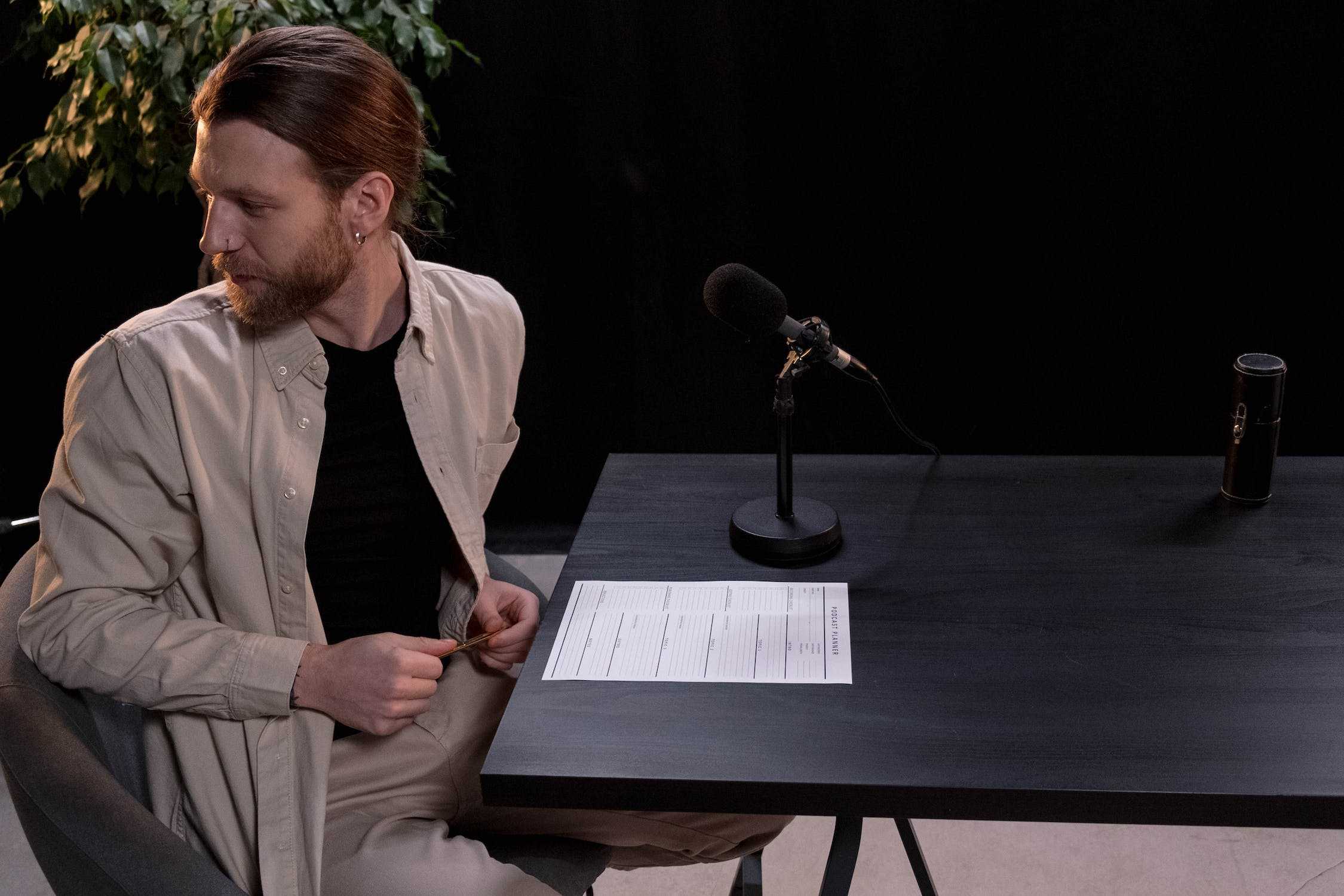
Do you find planning your podcast episodes to be challenging? There’s a lot to consider and organize into an engaging piece of content. The trick is to simplify your work into a repeatable process. This podcast planning template will help!
This podcast planning template is designed to help you put all of your research, notes, and instructions in one centralized place. Use it for yourself and share it with your podcast team so everyone has everything they need to produce a great episode together. For the bigger show-level decisions behind the template, like format, audience, and name, start with our podcast planning guide. It also covers why we tell new podcasters to have 3 episodes ready on launch day: Apple Podcasts ranks new shows partly on consistency.
How to Use this Podcast Planning Template
The template comes in three versions with the same sections. Pick the one that fits how you work.
Option 1: Fill it in online
Our free Podcast Episode Planner has the same sections as a form, and your plan saves in your browser as you type. When it’s done, it also writes the email to send your guest, a run sheet for recording day with your segment timings added up, and a starting point for your show notes. Download the plan as a Word file, save it as a PDF, or copy it as text.
Option 2: Download the Word template
Download the blank Word template. It opens in Microsoft Word, Google Docs, Apple Pages, and LibreOffice. Save one copy per episode in a folder your team can reach.
Option 3: Print the PDF
Download the printable PDF if you plan on paper. Each section has room to write.
You can also build your own version in any project management tool. The sections below are what to include.
Components of a Podcast Planning Template
Now let’s go through each component of the podcast planning template. You’ll find all of them in the online planner, the Word template, and the PDF. Here, we’ll explain exactly what to include in each component.
Topic
It’s important that each episode has a clear, easy-to-understand topic. You should be able to explain it in just a few words. Avoid industry jargon unless you’re absolutely sure all of your listeners will understand. If the topic is too complex, consider splitting it into separate episodes.
Most importantly, make sure that your episode topic has a clear connection to the overall topic of your podcast. Don’t host an episode about auto repair in a show about Facebook marketing. If the topic doesn’t relate to the show, your listeners won’t stick around.
Goal
The goal of your episode is what you hope to achieve. This could include a point or argument you intend to make, what you want your audience to learn or know, or an action you want your listeners to take. It’s important to keep this bit of information handy as you record to keep yourself on track.
Here are some examples of episode goals:
- Teach job seekers what employers want out of a cover letter.
- Persuade listeners to adopt gentle parenting over other parenting styles.
- Understand why the food pyramid is inaccurate and outdated.
Research
Whether you’re hosting a monologue episode or interviewing a guest, every episode should include a fair amount of research. As you research, take notes of anything that might be relevant to your show. Include it here so you have all of your information in one place. Don’t be afraid to include images, videos, and links to outside information. You may not use everything, but it’s best to be prepared.
About the guest
Include some basic information about your guest so you have this on hand during your recording.
- Full name and title (in case you forget!)
- Education level and school
- Employer(s) or businesses
- Upcoming books, courses, or projects
- What makes them unique
- Why you invited them on the show
Pre-production call
Most podcasts use a short pre-production call to prepare any guests for the show. This is a great time to make sure their equipment is ready, they understand the audience and the format, and that they’re prepared for some of your most important questions. Yes, you can do a lot of this in an email, but many guests like the high-touch experience of a call.
Use this section to create a checklist of all of the things you want to discuss with a guest during the pre-production call (before the actual interview). If you don’t interview guests, skip this part.
Questions
List all of the pre-prepared questions you have for your guest. Try to be as comprehensive as possible. You don’t have to ask all of them during the interview, but it’s important to have plenty of questions on hand to fill up the episode.
As you record the episode, you will probably think of additional questions. That’s perfectly fine! In fact, it’s an important part of being a good podcast host. But you want enough questions here to get you through the show in case your guest isn’t very talkative.
Talking points
Talking points are broad subjects you intend to hit during the interview. You may not have specific questions or comments regarding these points, but you want them to come up at some time.
For instance, one episode might have a note for “crazy PTO story” to remind you to get the guest to talk about that ridiculous incident with the parent teacher organization.
Notes from the recording
This section is for notes you take during the interview that you’ll consult later. It might include tidbits to help you promote the episode, future episode topics, potential guests to reach out to, or anything else. Jot it down here so you remember it later.
Production notes
Production notes are details you want to leave for the person who produces or edits your show. They give your producers and editors guidance regarding what you expect for the end product.
For instance, you might leave links to the specific background music or sound effects you want to hear. Or you might say, “Play something punchy at 18:40” and give them the authority to choose what sounds right.
Episode outline
Your outline is a breakdown of your show’s actual structure. Understanding this keeps you organized, creates a natural flow, and helps your editors understand what you expect in the final product.
Your outline won’t be the same as other shows, so feel free to be creative. That said, listeners have expectations. If your outline is too unusual, you may struggle to attract new listeners.
Here’s a sample outline for a 40-minute interview episode. You don’t have to match this format. It’s an example to give you a starting point.
COLD OPEN (30 seconds)
No music. Straight into the conversation.
- The strongest 20 to 30 seconds of the interview, chosen after recording
INTRO (1 to 2 minutes)
Theme music under the host’s voice, then fade out.
- Show name and host name
- Who the guest is and why they’re on this episode
- What the listener will get out of the episode (from the Goal section)
SPONSOR OR PROMO (1 minute, optional)
A short sound effect in and out.
- A sponsor read, a promo for another show, or a mention of your own product or newsletter
INTERVIEW (30 to 35 minutes)
Cut the first few minutes of small talk and setup. Start where the conversation gets going.
- Questions and talking points, in the order from your notes
- A clip from the guest’s own podcast, if they have one
WRAP-UP (2 minutes)
Theme music back in under the host’s voice.
- One thing for listeners to remember, in a sentence
- Where to find the guest
- What’s coming in the next episode
- How to follow the show or leave a review
OUTRO (30 seconds)
- Credits and theme music to the end
Make this Podcast Planning Template Your Own
Every show is different. As a creator, you need the freedom to make your content unique, so don’t feel like you’re stuck with this podcast planning template format. Customize it for your own needs, just make sure there’s a simple, repeatable process for you and your team to follow.
Launch Your Podcast In Minutes
Castos makes launching simple with one-click setup, automatic distribution to all platforms, and professional hosting. No technical skills required.
Start your 14-day free trial