How YouTube Podcasts Work in 2026 (And What Podcasters Should Do Next)

YouTube viewers watched over 700 million hours of podcasts per month on their TV screens in a single month in 2025. That number has only grown since.
And yet, NPR, one of the biggest podcast publishers on the planet, averages just 179 views per YouTube episode.
Something doesn’t add up.
The gap between those two numbers tells you everything about the current state of YouTube podcasts:
The opportunity on YouTube is enormous, but most podcasters aren’t tapping into it the right way.
And honestly, most guides on this topic don’t help, they skip over how YouTube’s podcast product actually works and jump straight to “record video, upload, repeat.”
This article is different.
We’re going to walk through how YouTube podcasts actually work as a product, the mechanics behind podcast playlists, the discovery engine, YouTube podcast RSS import, and the new 2026 features that are changing the game for audio-first creators.
Then we’ll cover what you should actually do next, based on where your show is today.
What YouTube Podcasts Actually Are (The Product, Not Just the Format)
For starters, a YouTube podcast isn’t just a video you uploaded.
It’s a specific product designation inside YouTube Studio.
When you create a YouTube podcast, you’re actually creating a specially flagged playlist. That flag tells YouTube’s systems to treat your content differently than a regular video series.
Here’s what the podcast designation unlocks:
- A dedicated Podcasts tab on your channel page. This tab appears alongside your other channel tabs (Videos, Shorts, Live, Playlists) and gives visitors a clean, organized view of your show, episodes in order, easy to binge.
- Eligibility for YouTube Music. Once your playlist is designated as a podcast, your episodes become available in the YouTube Music app. This matters because YouTube Music is where many listeners go for audio-first consumption, listening in the background, screen off, on the go.
- Podcast-specific discovery features. YouTube surfaces podcasts in dedicated carousels on the homepage, in the TV app, and through podcast-specific recommendations. Your content gets entered into a different recommendation pool than standard YouTube videos.
- RSS integration. You can connect your existing podcast’s RSS feed directly to YouTube, the same way you would with other podcast distribution directories, and it will automatically create episodes from your audio files using your show art. More on this in a moment.
The key takeaway: if you’re uploading podcast episodes as regular videos without designating them as a YouTube podcast playlist, you’re leaving these features on the table.
I’m genuinely surprised how many podcasters skip this step. We talk to creators every week who’ve been uploading episodes to YouTube for months without ever designating them as a podcast.
Two minutes of setup, and they’ve been leaving discovery features on the table the entire time.
How YouTube Discovers and Recommends Podcasts
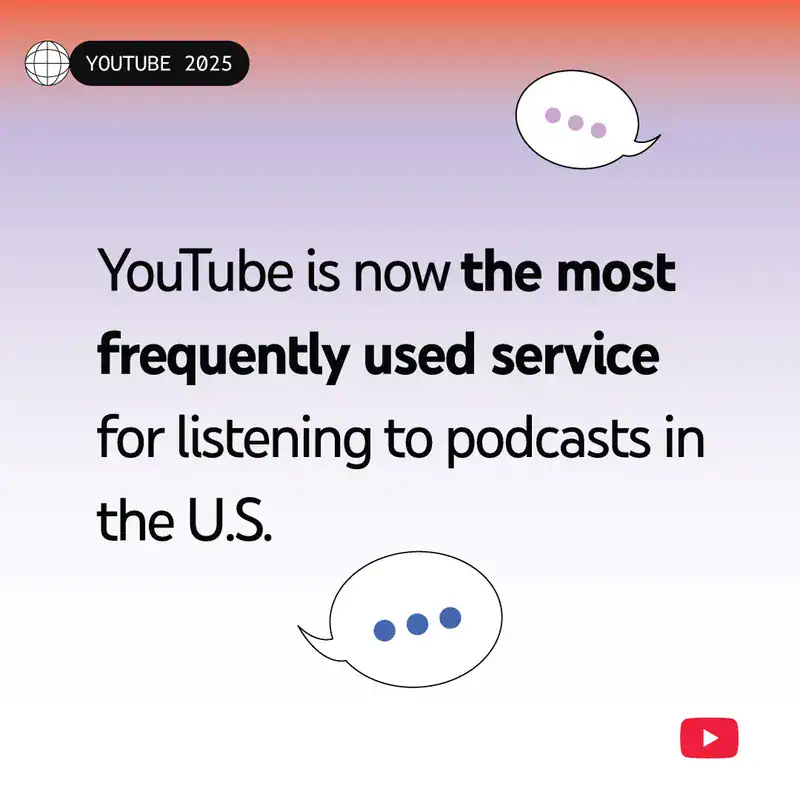
YouTube is now the number one platform for podcast discovery. According to Sweet Fish Media’s research, it leads by a wide margin:
But here’s the nuance: YouTube leads in discovery, not consumption.
Signal Hill Insights researcher Paul Riismandel has pushed back on the “YouTube is dominating podcasting” narrative, calling it “overblown.” When you measure actual consumption, minutes listened, episodes completed, the majority of podcast listeners still use audio-first apps as their primary platform.
YouTube is where people find your show. It’s not necessarily where they stay.
YouTube claims over 1 billion monthly podcast viewers; though that counts anyone who watches even a second of podcast-designated content, including autoplay.
Here’s how it works:
Algorithmic recommendations. YouTube’s algorithm evaluates podcast content based on watch time, engagement signals (likes, comments, shares), and viewer satisfaction surveys. For long-form podcast content, watch time carries more weight than raw click-through rate, which is actually good news for podcasters creating 30-60 minute episodes.
Shorts-to-long-form pipeline. YouTube now lets you link Shorts directly to full-length episodes. Someone watches a 45-second clip, taps through, and lands on your full conversation. This is one of the most effective discovery mechanisms YouTube offers podcasters right now.
Search discovery. About 40% of new podcast discovery happens through platform search bars, and YouTube is the second-largest search engine in the world. Optimizing your episode titles, descriptions, and tags for search gives you a discovery advantage that audio-only platforms simply can’t match.
Homepage and TV carousels. YouTube surfaces podcast content on its homepage and in the TV app through dedicated podcast sections. As I mentioned before, viewers watched 400 million hours of podcasts monthly on living room devices in 2024, and that number has grown to 700 million as of today. Getting into these carousels requires the podcast playlist designation we covered earlier.
This is the thing I wish more podcasters understood before they panic about YouTube. You don’t need to win on YouTube. You need YouTube to introduce you to people who’ll listen somewhere else. That reframes the whole strategy.
The bottom line: the value of YouTube podcasts to creators is primarily as a discovery channel.
Think of it as the top of your funnel, it introduces people to your show who might then subscribe on Apple Podcasts, Spotify, or wherever they prefer to listen.
Two Paths: Video-First or RSS Import
YouTube offers two official ways to start a YouTube podcast: creating video content natively, or importing your existing show through RSS.
Path A: Video-First (Native Upload)
You record video, edit it, and upload episodes directly to YouTube Studio as a podcast playlist.
This gives you maximum creative control, custom thumbnails, video chapters, end screens, cards, and full access to YouTube’s visual toolset.
This is the path most YouTube-native podcasters take, and it’s where the platform rewards you most. Video podcast content gets significantly more engagement, more algorithmic push, and better retention than audio-only alternatives.
Path B: RSS Feed Import
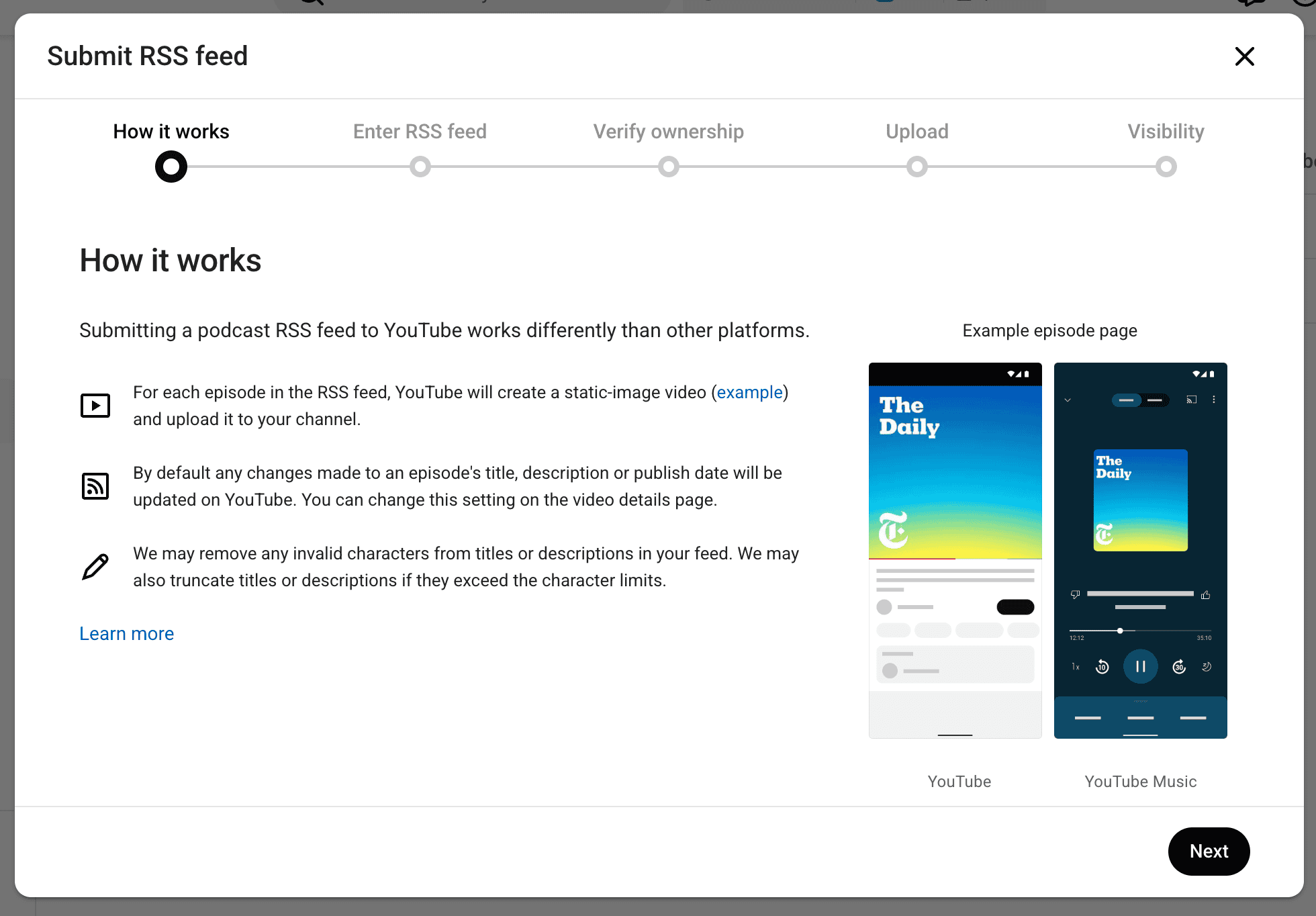
You paste your podcast RSS feed into YouTube Studio, and YouTube automatically creates video episodes from your audio files using your show’s cover art.
New episodes auto-upload whenever you publish to your feed.
The appeal is obvious: zero additional work. Your podcast shows up without you touching a video editor. YouTube pulls your title, description, and release date directly from the feed metadata.
The Trade-Offs
Video-first content performs dramatically better (more on this below), but RSS import isn’t useless. It gets your show into YouTube Music, establishes your presence in YouTube search results, and makes your podcast playlist available for anyone browsing your channel.
One important restriction: YouTube’s terms require that RSS-imported content can’t contain embedded advertisements.
If your episodes include baked-in sponsor reads, this could be an issue, though dynamically inserted ads through your hosting platform are typically stripped from the RSS audio anyway.
For most podcasters, the practical YouTube podcast strategy is both: use RSS import as your baseline presence, and add native video content when you have the resources.
The Audio-Only Problem (And What YouTube Is Doing About It)
Let’s talk about the elephant in the room. Audio-only YouTube podcasts struggle.
Not a little, a lot.
In 2023, Bloomberg reported some striking numbers from major podcast publishers on YouTube:
Why so low? Because these publishers uploaded “fake video”, a static image with audio playing underneath. YouTube viewers don’t engage with that. Research shows static-image podcast uploads lose 90-95% of their audience within the first 90 seconds.
Viewers click play expecting visual content, see a still image, and leave.
The algorithm notices. High abandonment rates signal to YouTube that your content isn’t worth recommending. It becomes a negative cycle: low retention leads to fewer recommendations, which leads to fewer views, which makes the whole effort feel pointless.
But here’s the flip side: when NPR added actual studio footage to their Life Kit series, views jumped to 3,000 per episode, a 16x increase from static image uploads. The content was the same. The only change was giving viewers something to watch.
YouTube’s answer for audio-first creators: “Generate Video from Audio.”
In 2026, YouTube began rolling out a feature that automatically generates customizable video from your audio podcast episodes. Instead of a static image, you get animated visuals, waveforms, dynamic elements, and visual treatments that give viewers something to look at without requiring cameras or a video editing workflow.
It’s not a replacement for real video. A face-on-camera podcast will always outperform generated visuals.
But it’s a significant step up from the static image approach, and it lowers the barrier for audio-first podcasters who want YouTube’s discovery benefits without rebuilding their entire production process.
YouTube Podcast Features That Matter in 2026
YouTube has been shipping podcast features at a pace that’s hard to keep up with. Here are the ones that actually move the needle for creators, and the ones you can skip.
Auto-Dubbing with Expressive Speech
This might be the most underrated feature YouTube offers podcasters.
Auto-dubbing now supports 27 languages with “Expressive Speech”, meaning the dubbed audio preserves your pitch, tone, and energy instead of sounding flat and robotic. YouTube is also piloting a lip-sync feature that adjusts mouth movements to match the translated audio.
For podcasters, this is huge.
No other podcast platform lets you reach a Portuguese, Spanish, or Hindi-speaking audience without re-recording your entire episode. You publish once, and YouTube handles the localization. If you have any international audience potential, turn this on.
Shorts-to-Long-Form Linking
Create a Short from a podcast episode highlight, and YouTube lets you link it directly to the full episode. Someone discovers your 30-second clip while scrolling Shorts, taps through, and starts watching your full conversation.
This is currently one of the most effective discovery pipelines on the platform.
Collaboration Tool
YouTube’s collaboration feature lets you tag other creators who appeared in your content. When you tag a past guest, the episode appears on their channel page too.
One podcaster reported a 700% increase in views within two weeks of going back and tagging guests in older episodes. It’s essentially passive cross-promotion that works retroactively.
A/B Testing for Thumbnails and Titles
YouTube now lets you test multiple thumbnails and titles against each other to see which drives more clicks. For podcasters, whose thumbnails often default to the same headshot-and-text formula, this is a chance to experiment with what actually catches attention in the feed.
Dynamic Ad Insertion (Testing)
YouTube announced at SXSW 2026 that it’s testing dynamic ad insertion for podcasts, letting creators swap out ad reads and resell ad space in existing episodes. If this rolls out fully, it would bring YouTube closer to what podcast hosting platforms like Castos already offer for audio distribution.
What’s Overhyped
Not every new feature deserves your attention. YouTube’s AI-powered editing tools and speech-to-song feature for Shorts are interesting experiments, but they’re not essential for podcast growth. Focus on the features above first, they have the clearest path to real results.
Every time YouTube ships a new feature, I see a wave of ‘you MUST do this’ content from people who’ve never published a podcast episode.
My advice: ignore most of it.
The features I listed above have clear, measurable impact. Everything else is a distraction until you’ve nailed the basics.
Should Every Podcaster Be on YouTube?
The honest answer: probably, but not in the way you might think.
Every podcaster should have a YouTube podcast presence, at minimum, an RSS-imported podcast playlist that gets your show into YouTube Music and YouTube search results.
The barrier to entry is minutes of setup time and zero ongoing effort.
But should every podcaster invest in a video YouTube podcast? That depends on your resources and goals.
The case for investing in video:
- YouTube is where 84% of Gen Z listeners discover podcasts. If your target audience skews younger, YouTube isn’t optional, it’s your primary discovery channel.
- Edison Research found that 72% of new podcast listeners discovered shows through video first, then moved to audio. Video is increasingly the entry point.
- 80% of monthly podcast consumers now engage with both audio and video formats. The audience isn’t choosing one or the other, they’re using both depending on context.
But the reality is video content is tough. If you’re already struggling to publish consistently in audio, adding video will only make it harder. Better to be reliably audio-only than inconsistently video.
The case for staying audio-first (for now):
- Audio podcast episodes see 83% average completion rates versus just 26-27% for video. Your existing audio listeners are deeply engaged, don’t sacrifice that by splitting focus.
- YouTube takes 45% of ad revenue through the Partner Program. Podcast hosting platforms offer significantly better monetization splits.
- If you’re already stretched on production time and publishing consistently, adding video could hurt your audio quality and schedule.
The most pragmatic approach: set up your YouTube podcast playlist via RSS today (takes minutes), then add video podcast content on YouTube when you’re ready. You don’t have to go all-in on day one.
What Podcasters Should Do Next
Here’s your action plan based on where you are today.
If you’re already producing video content:
- Designate your podcast series as a podcast playlist in YouTube Studio (if you haven’t already)
- Start creating Shorts from episode highlights and link them to full episodes
- Go back and tag guests using the collaboration tool on past episodes
- Turn on auto-dubbing if your audience has any international reach
- Test thumbnail variations with A/B testing
If you’re audio-first:
- Connect your RSS feed to YouTube through YouTube Studio to establish your presence
- Try YouTube’s “generate video from audio” feature on a few episodes and compare performance to static image uploads
- Consider a platform like Castos that handles YouTube republishing automatically, your episodes appear on YouTube without manual uploading
- Create 2-3 Shorts manually from your best episode moments to test the discovery pipeline
Regardless of format:
- Claim your podcast tab and make sure your channel page represents your show well
- Optimize episode titles and descriptions for search (YouTube is the second-largest search engine)
- Track which YouTube episodes drive subscriptions on your primary podcast platform, that’s the real metric to watch
Don’t try to implement every YouTube podcast feature at once.
Pick one or two, measure the impact over a month, and build from there.
Frequently Asked Questions
Is YouTube the Biggest Podcast Platform?
Sort of. It is the number one platform for podcast discovery, with 33% of listeners finding new shows there. But it’s not the number one platform for podcast consumption. Most listeners still use audio-first apps like Apple Podcasts and Spotify as their primary listening destination. YouTube is best understood as the top of your podcast’s discovery funnel.
Can You Listen to Podcasts on YouTube Music?
Yes. Podcasts designated as podcast playlists in YouTube Studio are automatically available on YouTube Music. Listeners can play episodes in the background with the screen off. However, the YouTube Music podcast experience has limitations, the interface prioritizes video, and podcast discovery features are less prominent than on dedicated podcast apps.
Do You Need Video to Podcast on YouTube?
No. You can import your podcast through RSS, and YouTube will create episodes using your show’s cover art. However, static-image episodes typically get very low engagement. YouTube’s new “generate video from audio” feature offers a middle ground, creating animated visuals from your audio without requiring a video production setup.
How Do You Set Up a Podcast on YouTube?
Open YouTube Studio, click “Create,” then select “New Podcast.” You can either create a new video-first podcast or submit your existing RSS feed. YouTube will walk you through adding a title, description, and thumbnail. The process takes less than five minutes. For a detailed walkthrough, see our guide on how to upload a podcast to YouTube.
Does YouTube Pay Podcasters?
YouTube pays creators through the YouTube Partner Program, which requires 1,000 subscribers and 4,000 watch hours in the past 12 months. YouTube is also testing dynamic ad insertion specifically for podcasts, which would allow creators to monetize episodes with swappable ads, similar to what podcast hosting platforms already offer for audio distribution.
Your YouTube Podcast Strategy Starts with Understanding the Product
YouTube podcasts aren’t going away. The platform’s investment in podcast-specific features signals that YouTube is only getting more serious about the format.
But here’s what separates podcasters who succeed with YouTube podcasts from those who don’t: understanding how the product actually works. It’s not enough to upload audio with a static image and hope for the best.
The podcasters seeing results are the ones using podcast playlists, optimizing for YouTube’s discovery engine, and taking advantage of features most creators don’t know exist.
The good news? Getting started with YouTube podcasts is simple. Connect your RSS feed, set up your podcast playlist, and you’re live in minutes. If you want to take it further, a platform like Castos handles the technical side, including automatic YouTube republishing, so you can focus on making great content.
Your audience is already on YouTube. Now it’s time to meet them there.
Launch Your Podcast In Minutes
Castos makes launching simple with one-click setup, automatic distribution to all platforms, and professional hosting. No technical skills required.
Start your 14-day free trial