Accept payments from listeners with Castos' Stripe integration
A better way to monetize your podcast — accept direct listener payments and automate your private podcasts.
A better way to monetize your podcast
The old way of monetizing a podcast via advertisements is a broken model that caters to the 1% of podcasters with very large audiences. For small- to mid-sized shows, the CPM (cost-per-thousand-downloads) economics simply don’t add up.
The better path for modern podcasters is direct listener support. That’s now possible natively in Castos through our Stripe integration.
Stripe is the leading online payment processor — trusted by Uber, Shopify, and countless others to handle payments online. Now you can wire it directly into your podcast on Castos.
A better way to monetize your podcast
The old ad-based model only works for the 1% of podcasters with huge audiences. Castos + Stripe lets every creator accept direct listener support from day one.
Add private subscribers
Automatically add new paying customers as private subscribers to your private podcasts.
Multiple trigger options
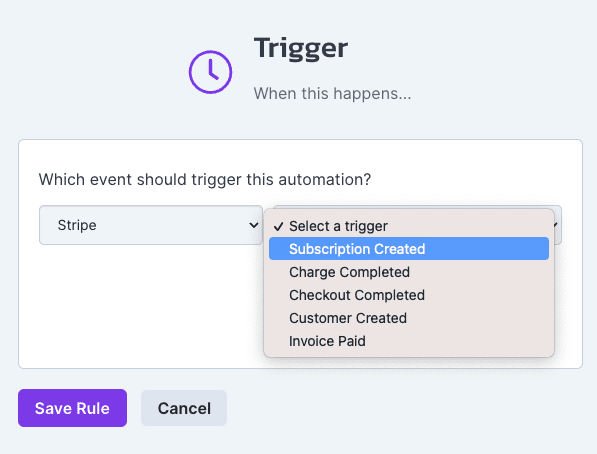
Use one of 6 different trigger options from Stripe to fire actions in Castos' Automations Engine.
Direct connection
Zapier is great, but a direct integration keeps your data consistent and your automations bulletproof.
All your tools talking
Connecting Stripe to Castos means customer activity can kick off any number of activities inside your Castos account.
Stop relying on advertisers
Realize the dream of full-time podcasting by ditching the broken CPM model and switching to direct listener support.
Connect Stripe to Castos in five steps
Already a Stripe user? Connect your account to Castos. Not using Stripe yet? It's free to sign up at stripe.com.
- Step 1
Connect with Stripe
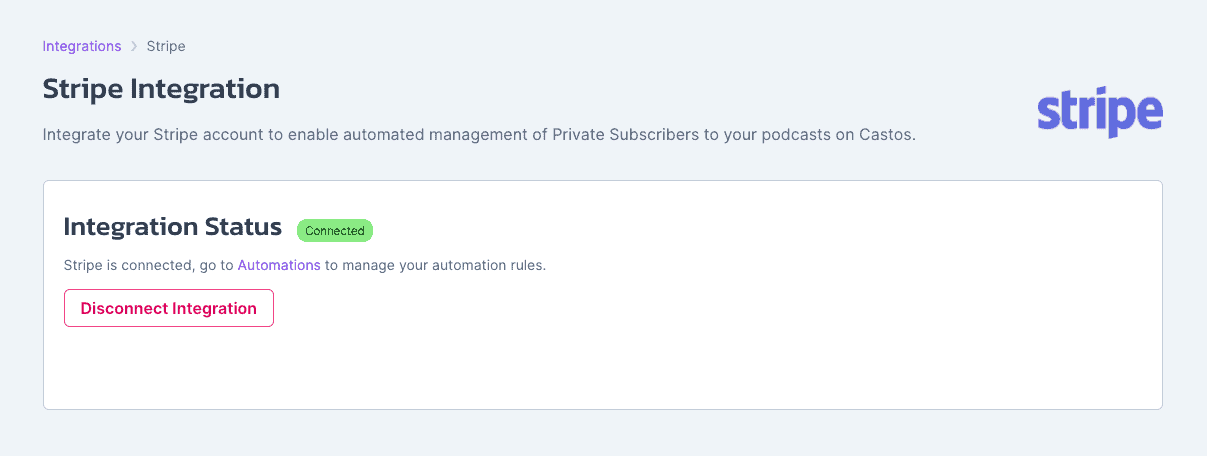
Visit the Stripe integration page in your Castos dashboard and complete the one-click direct integration.
- Step 2
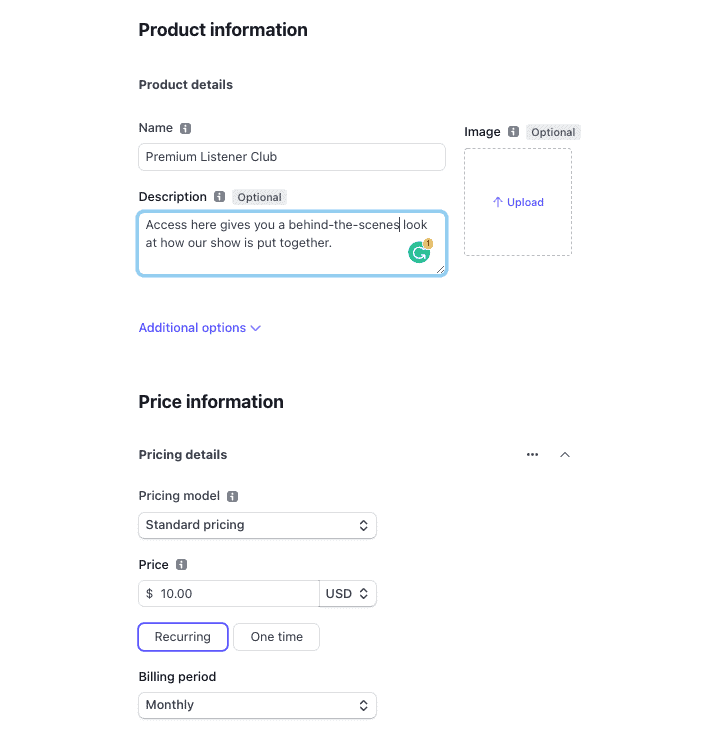
Create your first product or subscription
In Stripe, configure what you're selling — a one-time payment or a recurring monthly subscription.
- Step 3
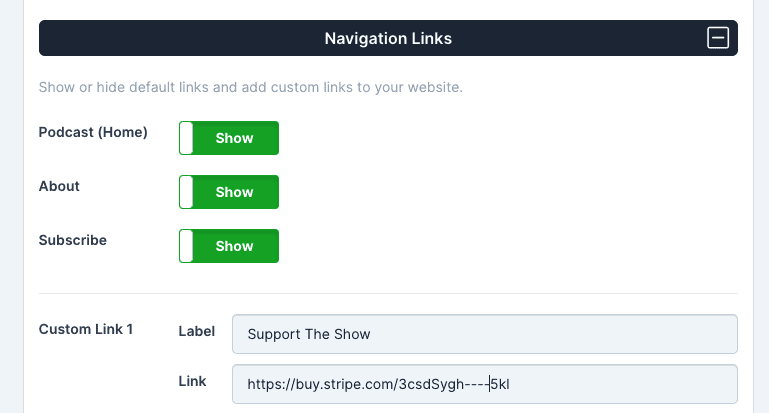
Add the payment link to your website
Each Stripe product comes with its own customized checkout page. Add that link to your website navigation — your own site or right inside Castos' built-in website settings.
- Step 4
Automate your private podcast (optional but awesome)
Use the payment event as the trigger to add the new paying supporter as a private podcast subscriber — no manual work required.
- Step 5
Make money from your content
You now control your destiny as a creator. Let your audience speak with their wallets about what content they love.
Start accepting payments from your listeners
Log in to your Castos dashboard and set up your Stripe connection in minutes — no engineering required.