Integrate MemberPress with Castos
Turn your WordPress membership site into a private podcasting platform — no middleware, no Zapier, just a direct connection.
Turn your membership site into a private podcasting platform
Community is one of the most powerful ways to build a strong brand — and MemberPress is one of WordPress’s top membership plugins.
MemberPress lets you build free or paid membership areas right inside your WordPress site. Wire its membership levels directly into Castos’ Private Podcasting engine and you can streamline adding and removing private subscribers from any of your private podcasts — without changing your existing user experience.
Turn your membership site into a private podcasting platform
MemberPress is one of WordPress's top membership plugins. Wire it into Castos and your existing members get instant private podcast access.
Add private subscribers
Automatically add customers as private subscribers to your private podcasts.
Multiple membership tiers
Choose one or multiple membership tiers to add as private subscribers in Castos.
No-code, no middleware
No Zapier sitting in the middle — this is a direct integration between your WordPress site and the Castos hosting platform.
Use your existing workflow
Castos' MemberPress integration means you don't have to change anything about membership levels, member communications, or pricing tiers.
Remove private subscribers
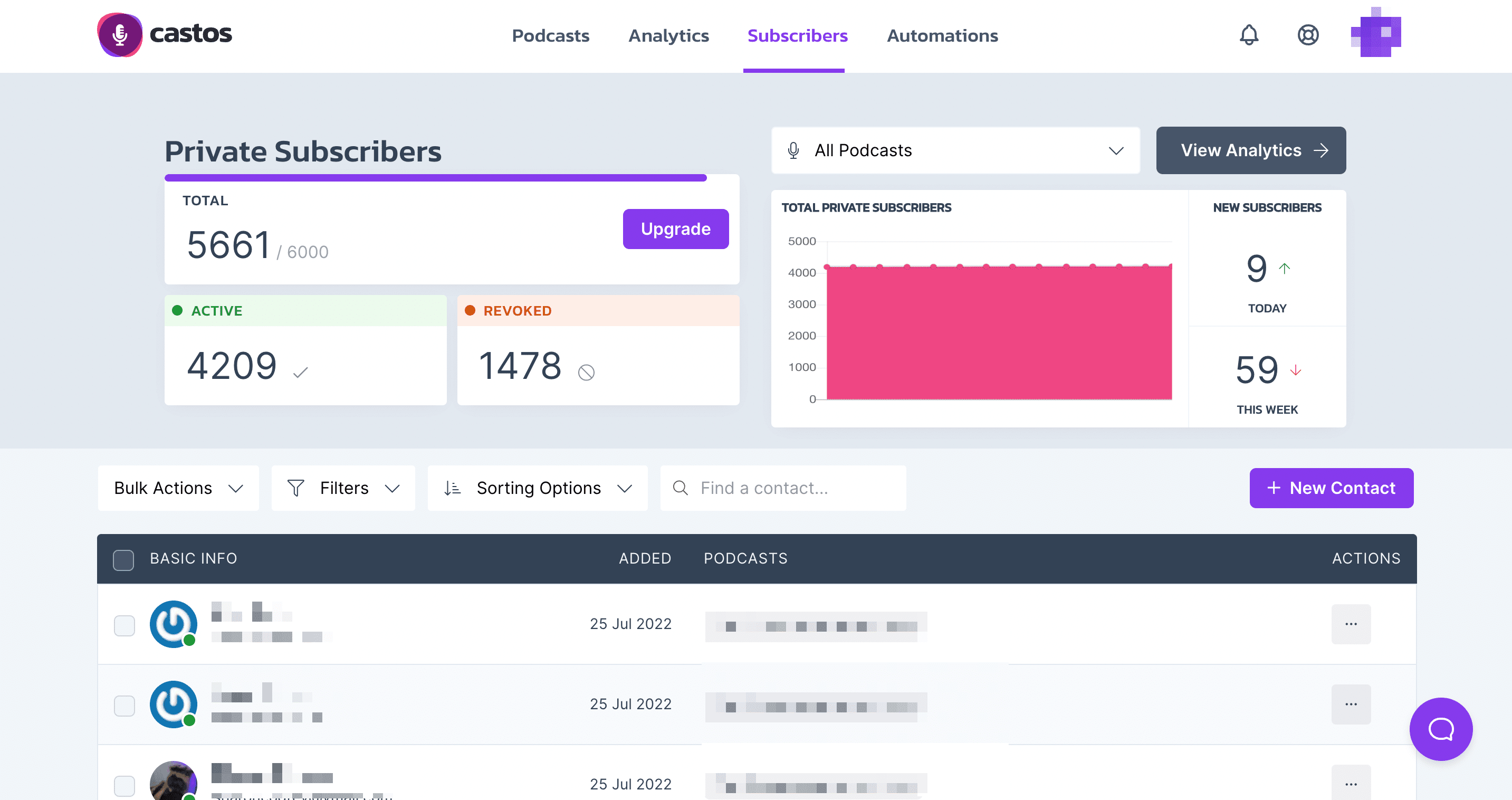
If someone cancels their recurring subscription, Castos automatically revokes their podcast access — no manual cleanup.
Connect MemberPress to Castos in five steps
If you already run MemberPress and Seriously Simple Podcasting on WordPress, you can send new members to Castos automatically as private podcast subscribers.
- Step 1
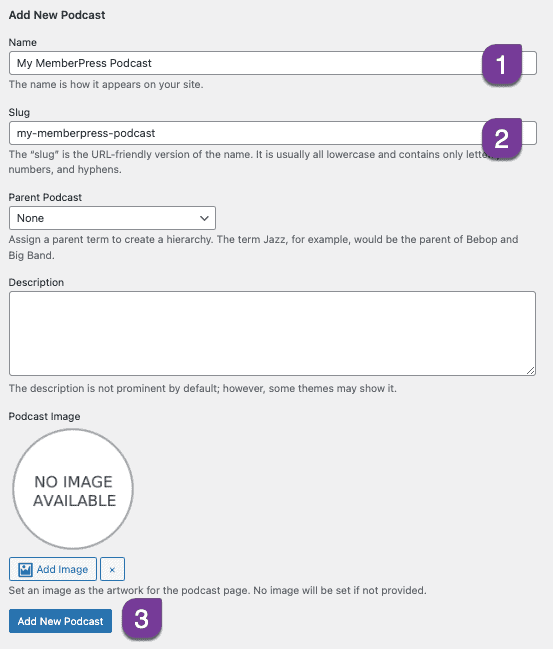
Create a new podcast in Seriously Simple Podcasting
Inside your WordPress dashboard, create a new podcast that will be available only to members.
- Step 2
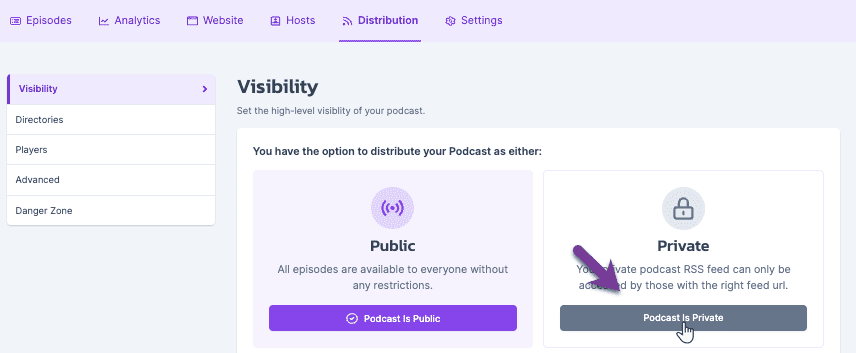
Make the podcast private in Castos
The new podcast syncs automatically to your Castos dashboard. Click Settings → Distribution and flip it to Private.
- Step 3
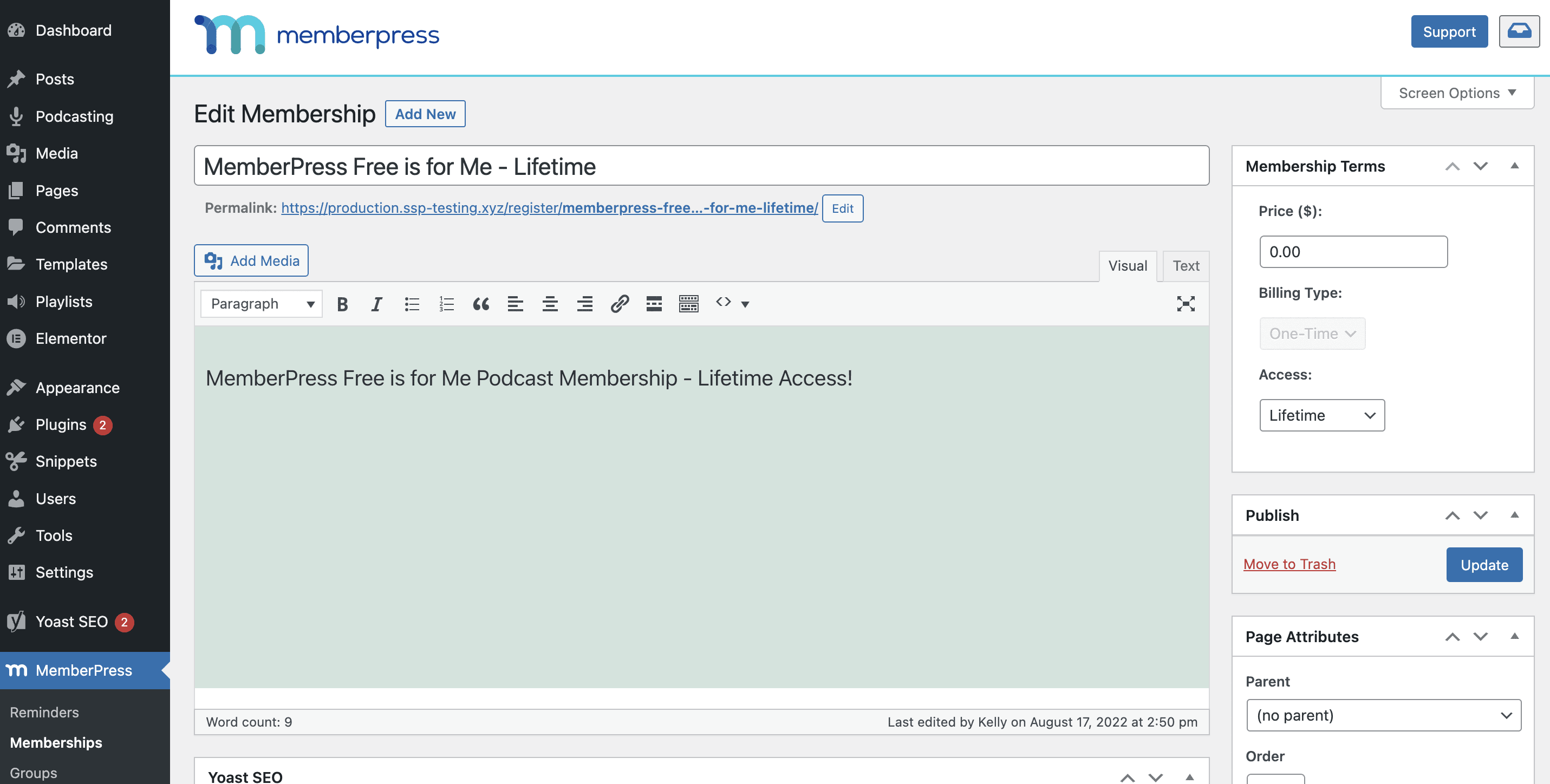
Create a membership level in MemberPress
Use an existing membership level, or create a new one specifically for your private podcast.
- Step 4
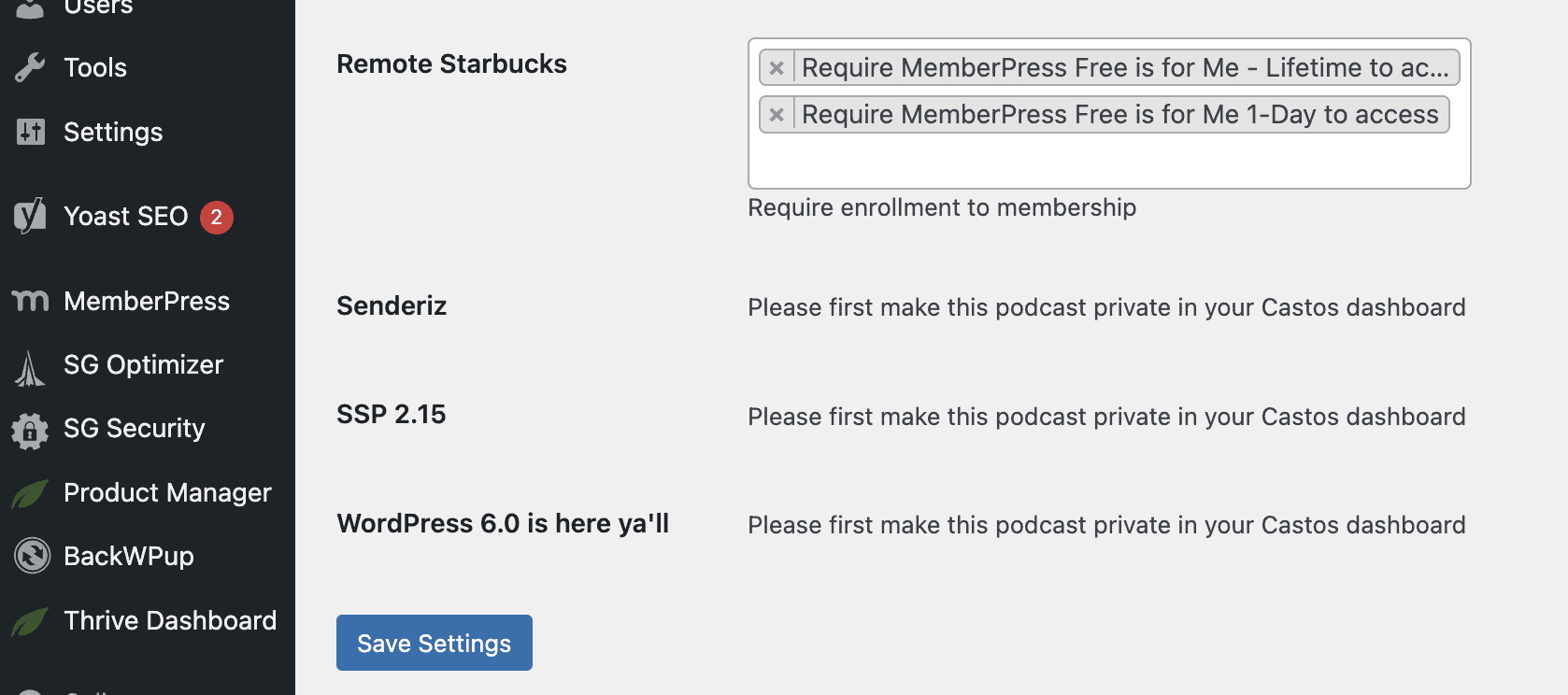
Map membership levels to private podcasts
Tell Castos which MemberPress levels grant access to which private podcasts in your account.
- Step 5
Your private podcast is on autopilot
New members are added automatically, cancellations are revoked automatically. For full details, see the MemberPress setup guide in our knowledge hub.
Connect MemberPress to Castos
Set up your private podcast automation in minutes and let every MemberPress signup unlock members-only audio automatically.