Find A Podcast RSS Feed
Lookup your RSS feed to submit to podcasting directories or share with a new listener.
Search by podcast or host name, or paste an Apple Podcasts link.
We'll find the show's real RSS feed URL so you can subscribe, migrate hosts, or submit it to a directory.
Searching…
Results
Trusted by 42,000+ podcasts, including shows from


How To Find A Podcast RSS Feed For Any Show
- Step 1
Enter A Name Or Paste An Apple Podcasts Link
Type the name of a podcast or host, or paste a link to the show's page on Apple Podcasts.
- Step 2
Click Search
A name search checks a directory of over 4 million podcasts, proudly powered by PodcastIndex.org. An Apple Podcasts link resolves directly to that exact show's feed.
- Step 3
Copy Your RSS Feed
Copy the podcast RSS feed link that this tool displays. This is the direct link to your show on your hosting provider.
Share Your RSS Feed With Your Audience
While podcasting directories like Apple Podcasts and Spotify are great for discoverability they all still rely on your podcast RSS feed to let new listeners subscribe to your podcast.
Move Your Podcast To A New Host
If you're looking to migrate your podcast from one hosting provider to another you'll need your RSS feed to begin the import and transfer process.
Own Your Distribution Strategy
Don't be dependent on large platforms where you have no control to dictate how (and where) you can distribute your podcast. Relying directly on your RSS feed is a surefire way to ensure that your podcast stays active, no matter what!
How to Create a Podcast RSS Feed in 3 Steps Using Castos
-
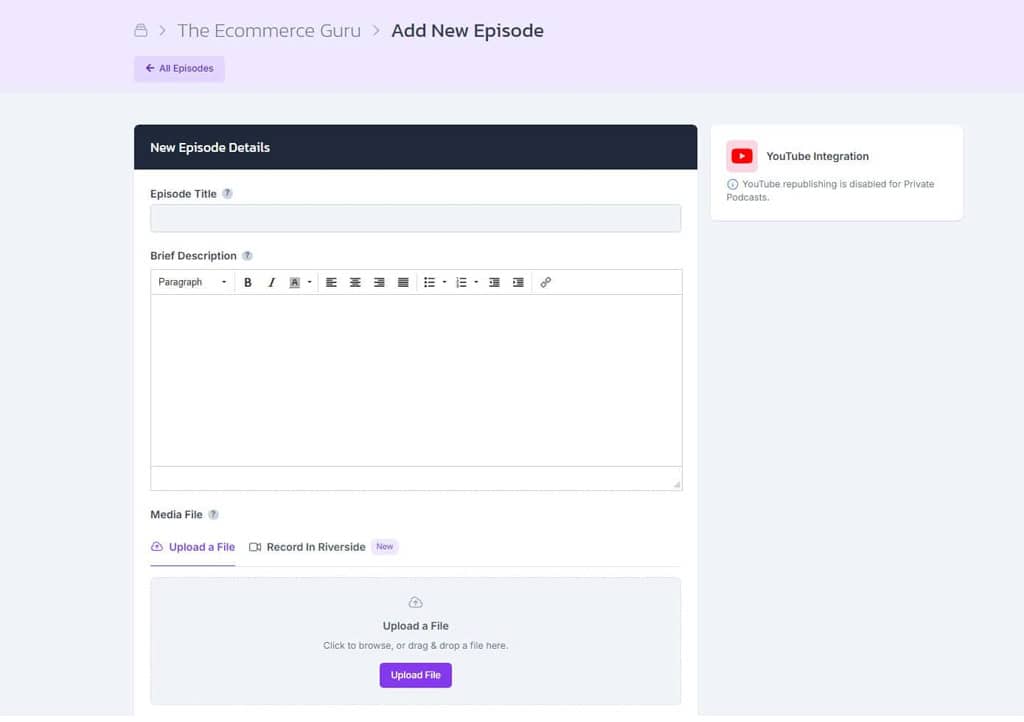
Upload A New Episode
When you upload a new episode, provide some information about the episode and your show in general. In subsequent uploads, you'll only need to provide episode-specific information.
-
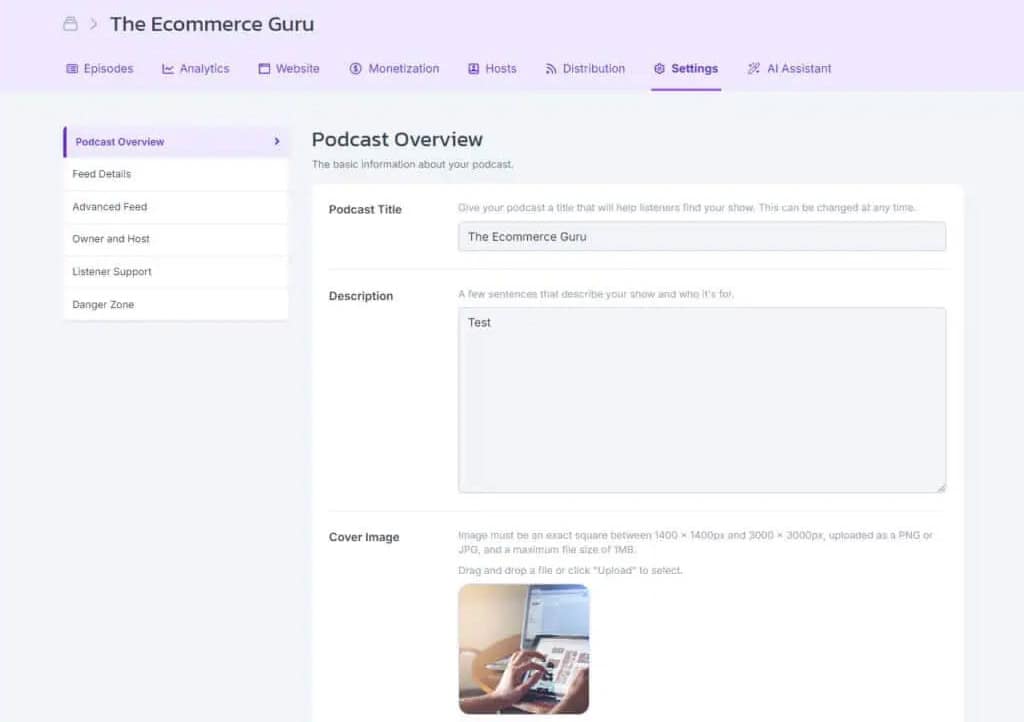
Fill In Your Information
Add your podcast details like the title, description, cover art, and a few more important fields. Make sure to complete each field so Castos can create a proper RSS feed that satisfies all of the listening apps.
-
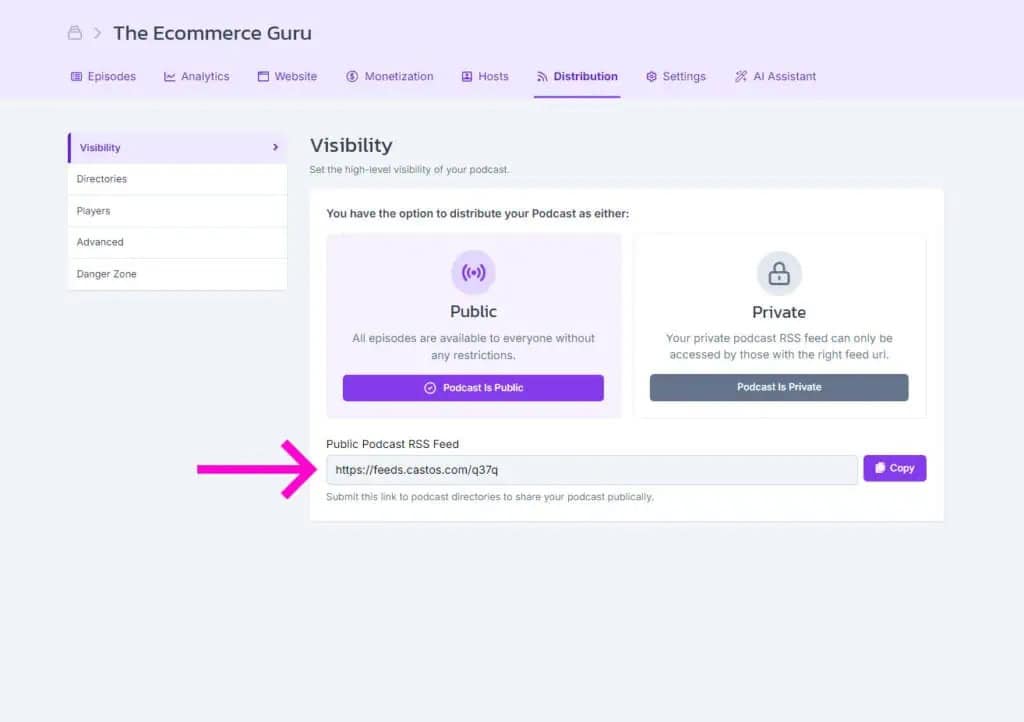
Link to Each Directory
Each podcast directory has its own syncing instructions. Create an account with each platform and then submit your feed. Copy your RSS link from the Distributions tab of your Castos dashboard.
Frequently Asked Questions
Can I paste an Apple Podcasts link instead of searching by name?
What is a Podcast RSS Feed?
What information does an RSS feed contain?
Do I need an RSS feed to set up a podcast?
Who owns my RSS feed?
How do I verify that my RSS feed is working?
How do I use my RSS feed to submit my podcast to directories?
How can listeners subscribe to my podcast with an RSS feed?
How does an RSS feed work?
Podcasting Just Got A Lot Easier
With Castos you're just a few clicks away from starting an impactful podcast for your brand.