
Make Your Podcast Cover Art In Minutes
Dynamo is Castos' free image maker for podcasters. Start from a template, add your show's name, and download a 3000 x 3000 cover ready for Apple Podcasts and Spotify, plus the same design in every size you post. No sign-up.
Make Your Cover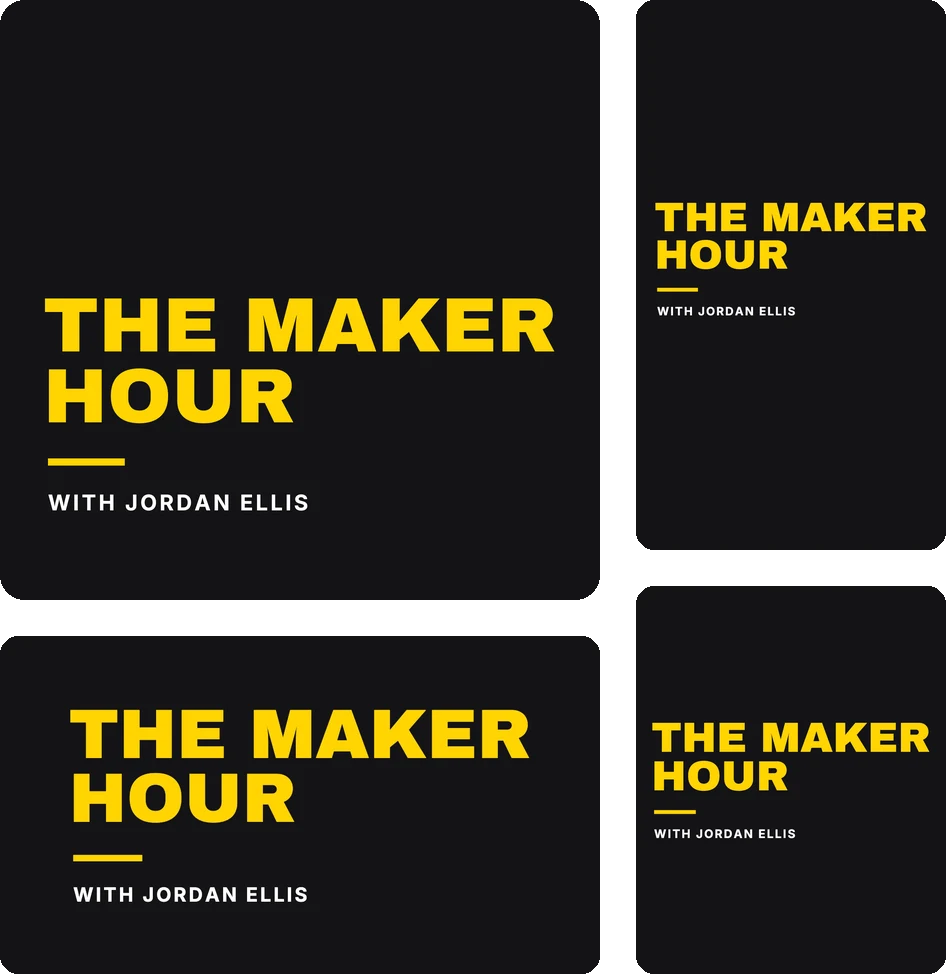
Trusted by 42,000+ podcasts, including shows from


How To Make Your Podcast Cover
- Step 1
Pick A Starting Point
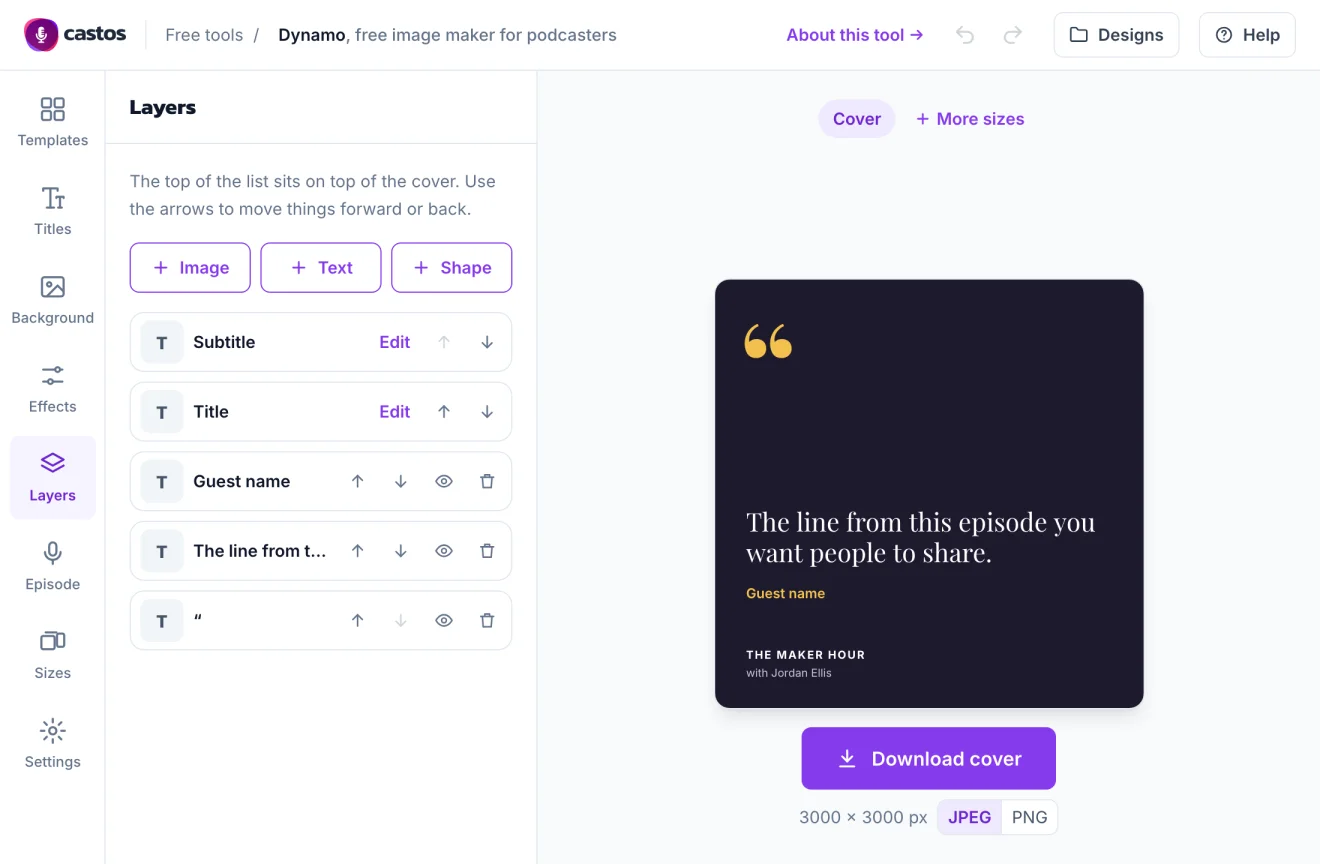
Start from a template made for your kind of show, or from a blank cover. Switching templates keeps your title and subtitle, and you can undo any change.
- Step 2
Make It Yours
Choose from 26 fonts, any color, gradients, and effects. Search Unsplash for a photo or upload your own image, and add text, shapes, or a logo as layers.
- Step 3
Download And Upload
Download a 3000 x 3000 JPEG or PNG, then upload it to your podcast host. It shows up wherever your show is listed.
What You Can Make With Dynamo
One editor for your cover, the other sizes you post, episode art, and quote cards.
-
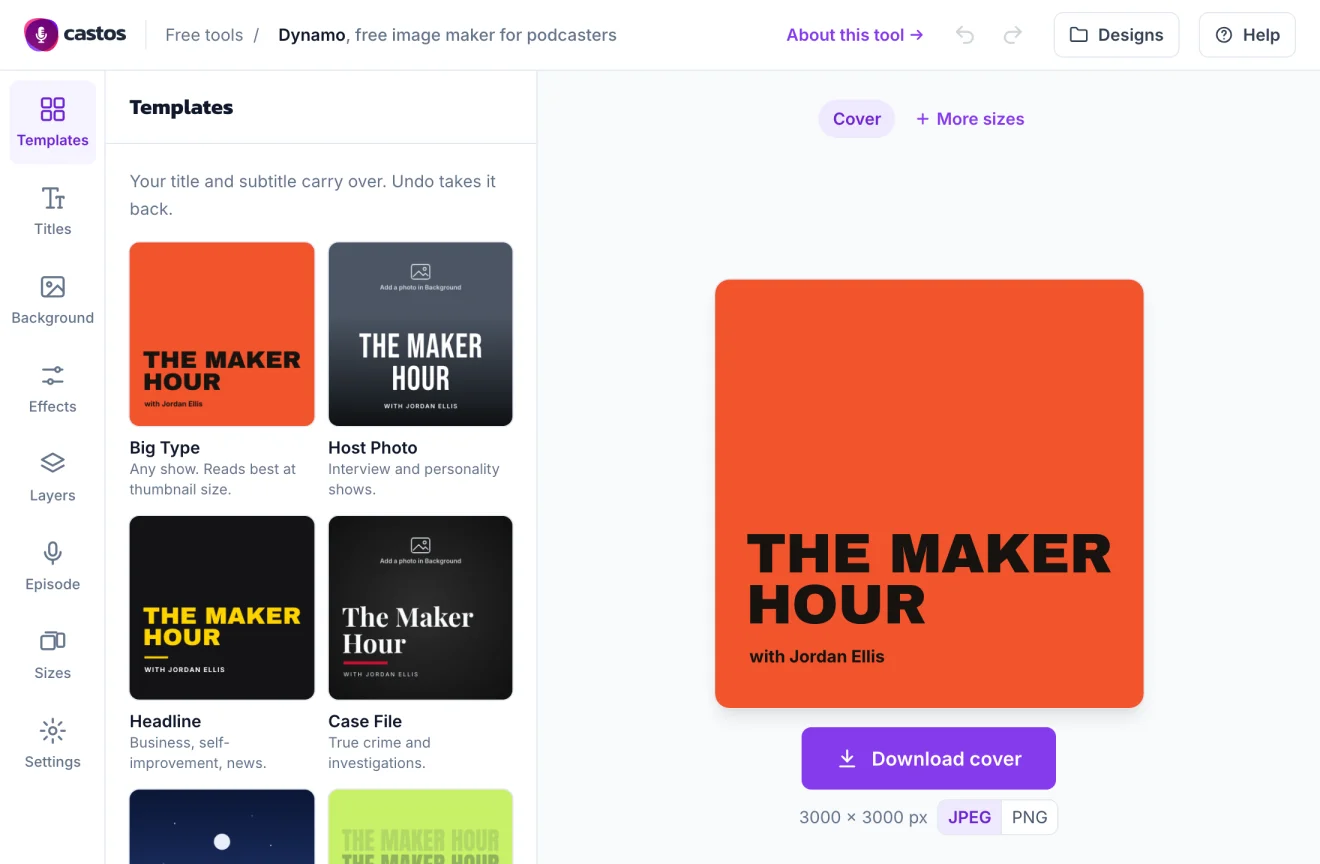
Start From A Template For Your Kind Of Show
Dynamo has 11 starter designs, each based on a pattern from Apple's top podcast charts: big stacked type, a host photo with a dark fade, a serif title for true crime, and more. Type your show's name once and every template redraws with it. Most people see your cover as a small tile next to dozens of others, so the templates keep the title big and the extra words few.
-
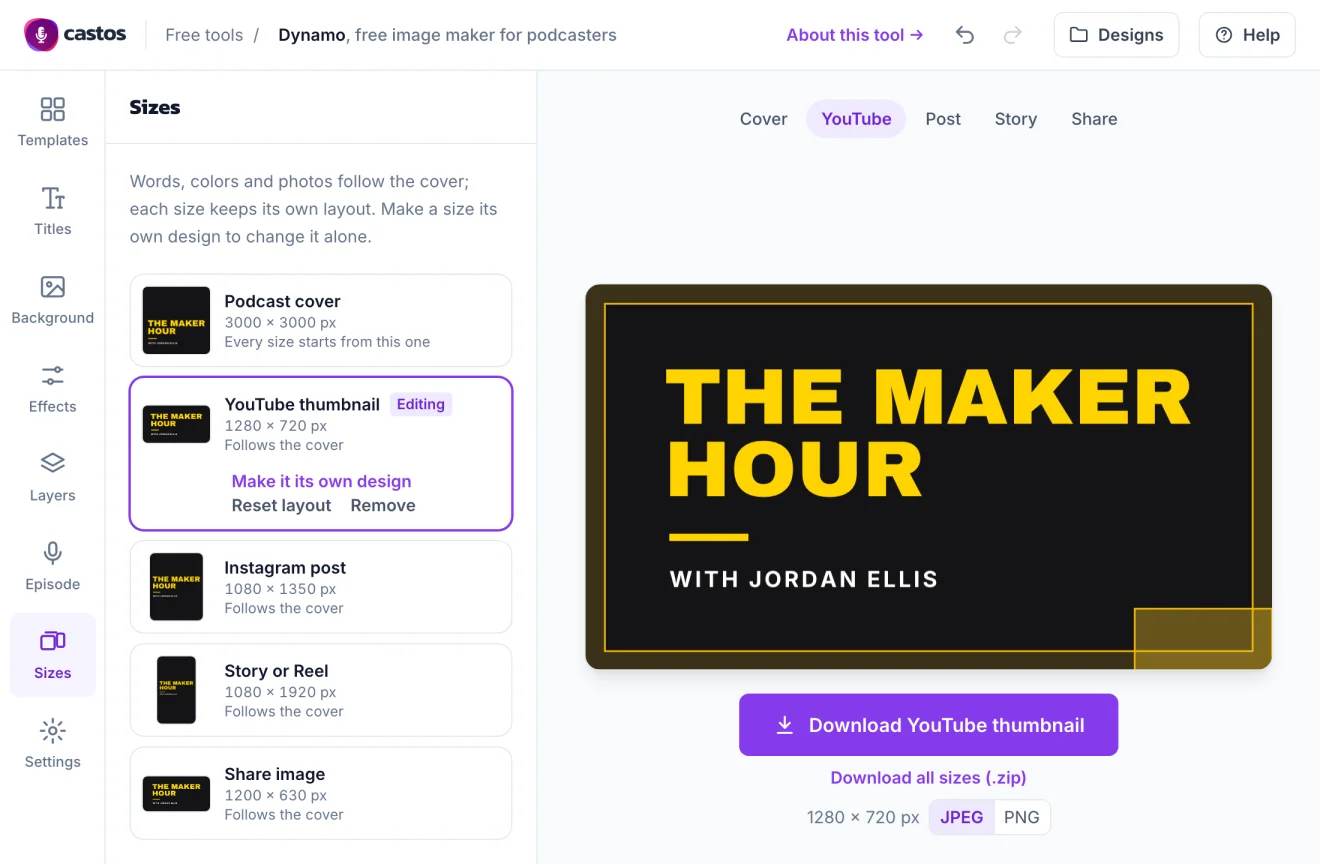
One Design, Every Size
Add a YouTube thumbnail, an Instagram post, a Story or Reel, and a share image for links. Your words, colors, and photos stay in sync, and each size keeps its own layout. Turn on the safe zone to see what each platform covers, like the video length in the corner of a YouTube thumbnail. Download one size, or all of them in a .zip.
-
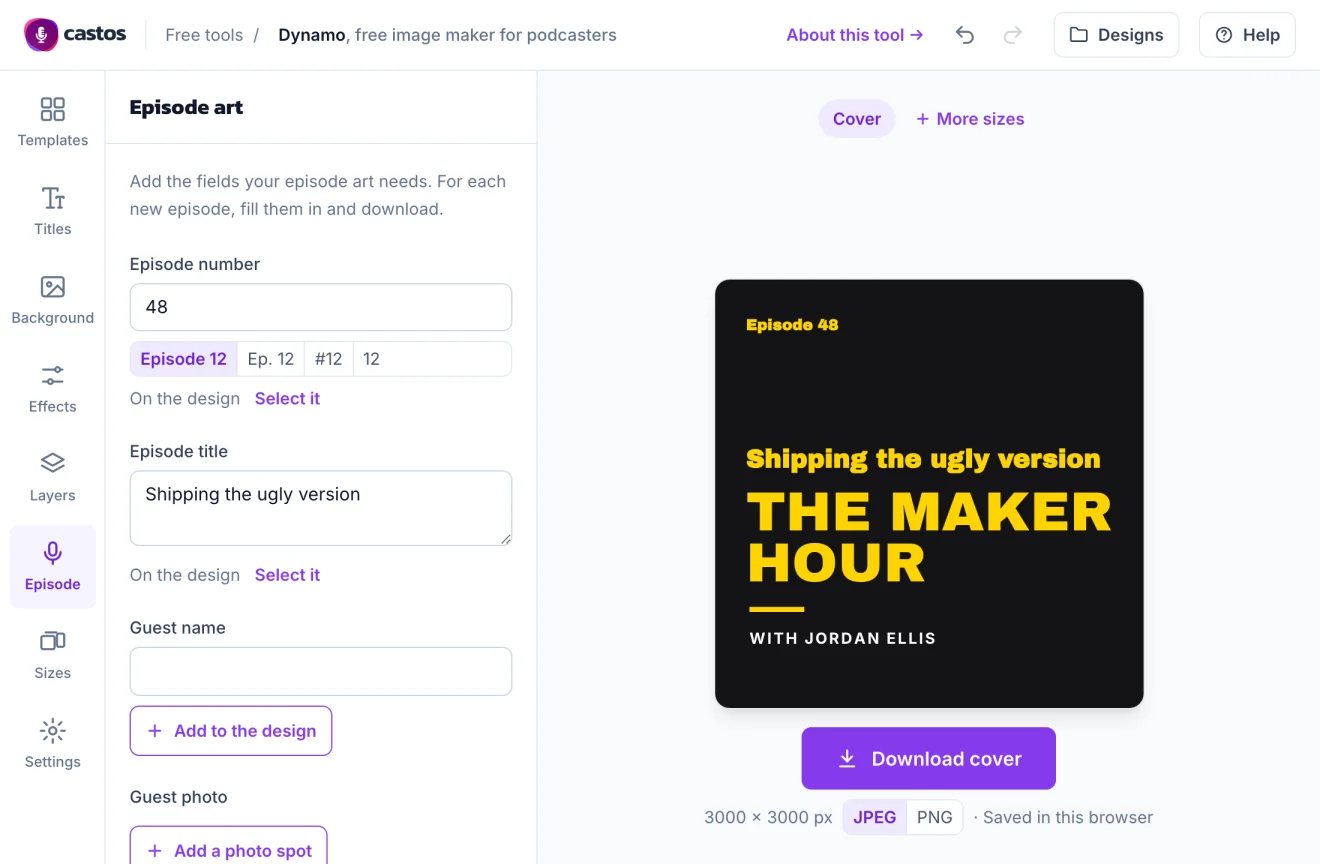
Episode Art For Every Episode
Add the episode number, episode title, guest name, and a guest photo to your design. Each week, open the design from Designs, change those, and download. The episode shows in every size you've added, and the file name includes its number.
-
Quote Cards From Your Episodes
Two quote card templates, Pull Quote and Sound Bite, put a line from an episode on a post along with who said it. Long quotes shrink to fit. If your episodes are transcribed, the transcript is the quickest place to find the line.
Cover Ready? Publish Your Podcast In 3 Steps
-
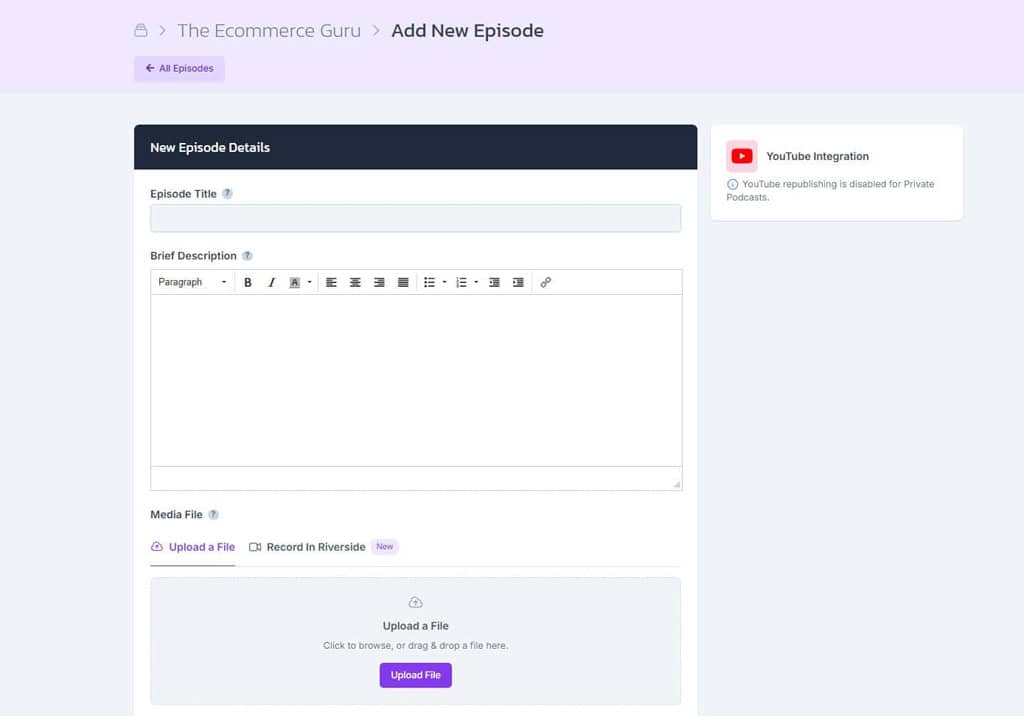
Create Your Show
Create a show in Castos, add your new cover art, and upload your first episode with its title and description.
-
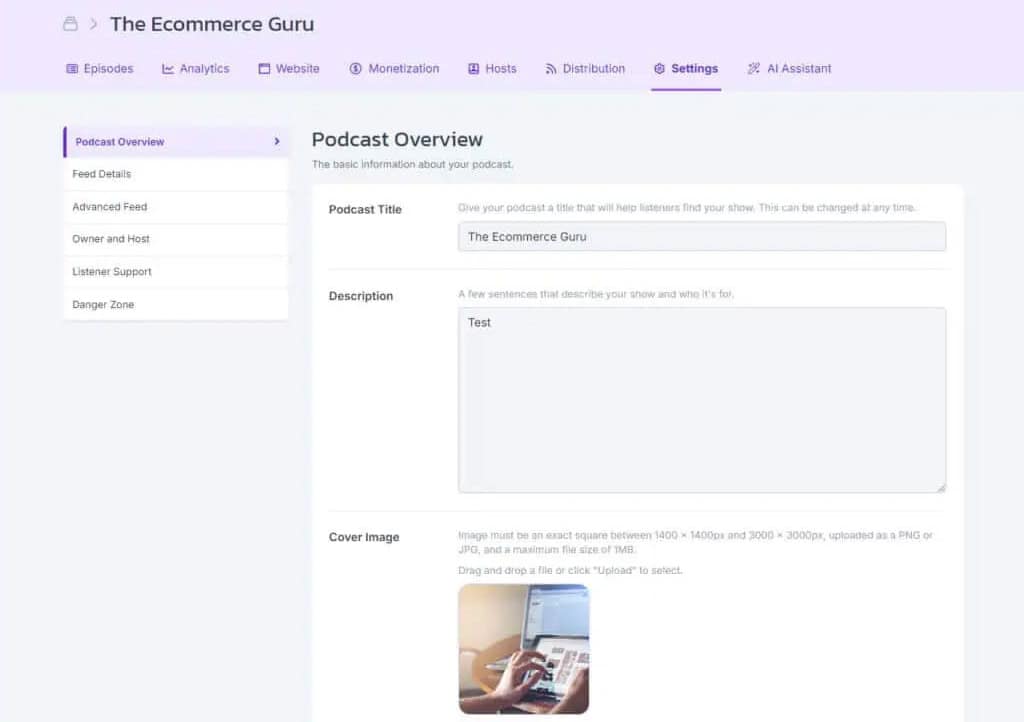
Get Your Feed And Website
Castos creates the RSS feed podcast apps need and a customizable site where listeners can find every episode.
-
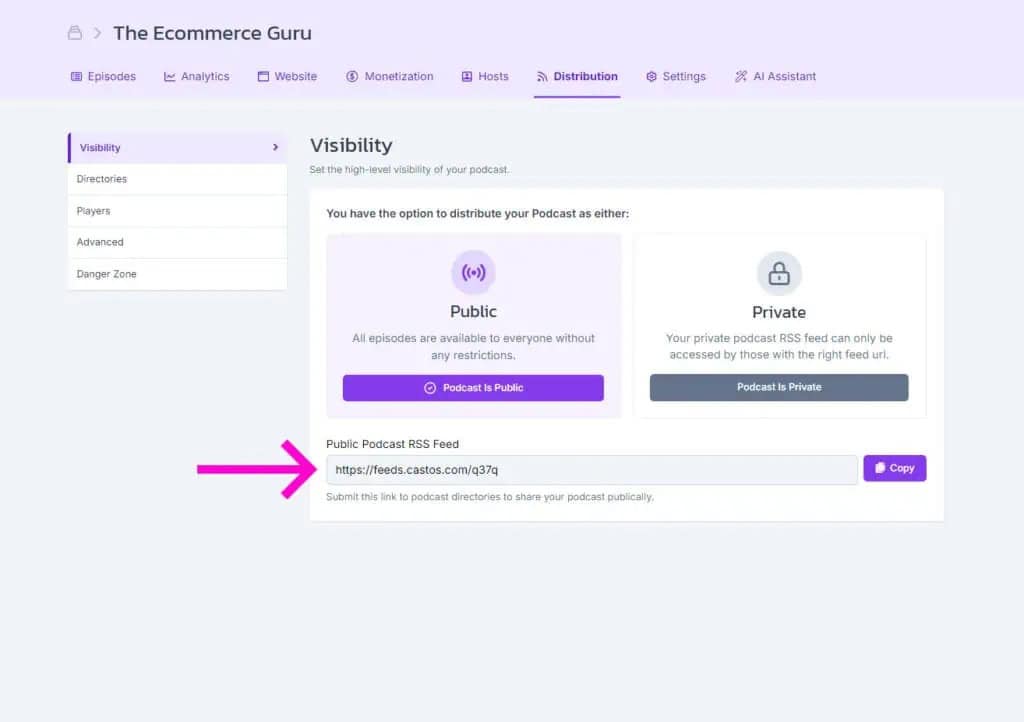
Publish Everywhere
Submit your feed to Apple Podcasts, Spotify, and other directories once. Future episodes are distributed automatically.
Frequently Asked Questions
How do I make a podcast cover?
What size should a podcast cover be?
How large can the cover file be?
Where should the text go on my cover?
Can I use the Unsplash photos for my podcast?
Can I make a YouTube thumbnail from the same design?
Can I make episode art for every episode?
Is my design saved?
Related tools
Record and edit audio
Files never leave your browser.
- Voice Recorder Record, pause, and export a podcast-ready MP3.
- Audio Trimmer Cut the start and end of a recording on a waveform.
- Audio Joiner Combine intro, episode, and outro files into one MP3.
- Audio Converter Turn WAV, M4A, FLAC, and other files into a podcast-ready MP3.
- Audio Speed Changer Speed up or slow down audio without changing the pitch.
- Extract Audio From Video Turn an MP4, MOV, WebM, or MKV video into an MP3 or WAV.
Check your RSS feed
Plan and record
- Podcast Name Generator Get show name ideas with domain availability checks.
- Podcast Episode Planner Plan an episode, then get the guest email, a run sheet, and show notes.
- Microphone Test See your levels, hear how you sound, and check your room for noise.
- Podcast Teleprompter Read your script hands-free while you record on camera.
Podcasting Just Got A Lot Easier
With Castos you're just a few clicks away from starting an impactful podcast for your brand.