Join Audio Files Online
Combine intro, episode, and outro files into one podcast-ready MP3. Free, private, and entirely in your browser.
Your audio stays on your device. Nothing is uploaded or stored.
Put your files in order
MP3 at 128 kbps
Add at least 2 files to join them.
Every file needs to be at least 2 seconds long to crossfade. Turned off for this set.
Preparing the audio joiner
The first run loads the joiner into your browser. It may take a moment.
0% complete
Your joined audio is ready
Want more free tools like this?
Get our best podcasting tips, new free tools first, and a discount code for Castos. Unsubscribe anytime.
You're in
Check your inbox for a discount code and our best podcasting tips.
We couldn't join the audio
Trusted by 42,000+ podcasts, including shows from


How To Join Audio Files Online
- Step 1
Choose Your Audio Files
Select two or more MP3, WAV, M4A, AAC, OGG, or FLAC files. Each one stays in your browser and is never uploaded.
- Step 2
Put Them In Order
Use the up and down arrows to arrange your files, preview any of them, and remove ones you don't need.
- Step 3
Join And Download Your MP3
Click Join & Export MP3 and download one podcast-ready file. Turn on a short crossfade for smoother transitions between tracks.
One File Instead Of Several
An intro, the main recording, a mid-roll ad, and an outro usually live as separate files. Combining them by hand means opening an editor just to lay tracks end to end. This tool does the same job directly in your browser, no editing software or account required.
Nothing Leaves Your Device
Every file you add is joined locally. Your audio is never sent to a server while you reorder tracks or export the result. Close the tab and the working files disappear.
Podcast-Ready MP3 At 128 kbps
Every joined file is exported as an MP3 at 128 kbps, a standard podcast bitrate that keeps spoken audio clear at a practical file size. There is no format menu to configure and no extra setting to second-guess before you upload it to a host.
Audio Joined? Publish Your Podcast In 3 Steps
-
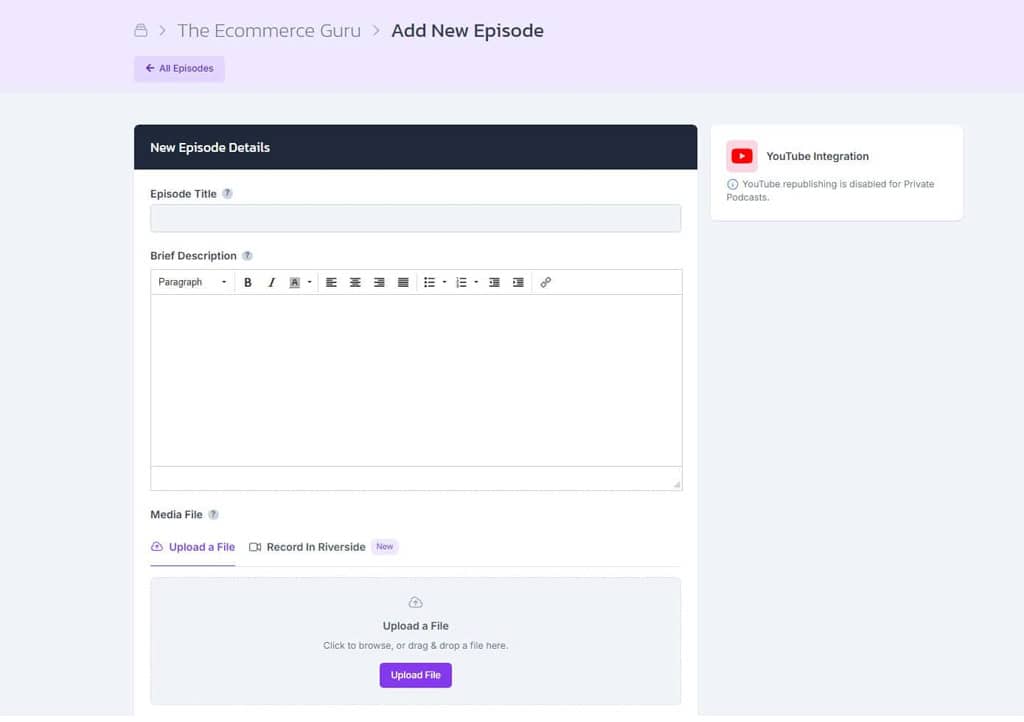
Upload The MP3
Create a show in Castos and upload your joined MP3 with your episode title, description, and artwork.
-
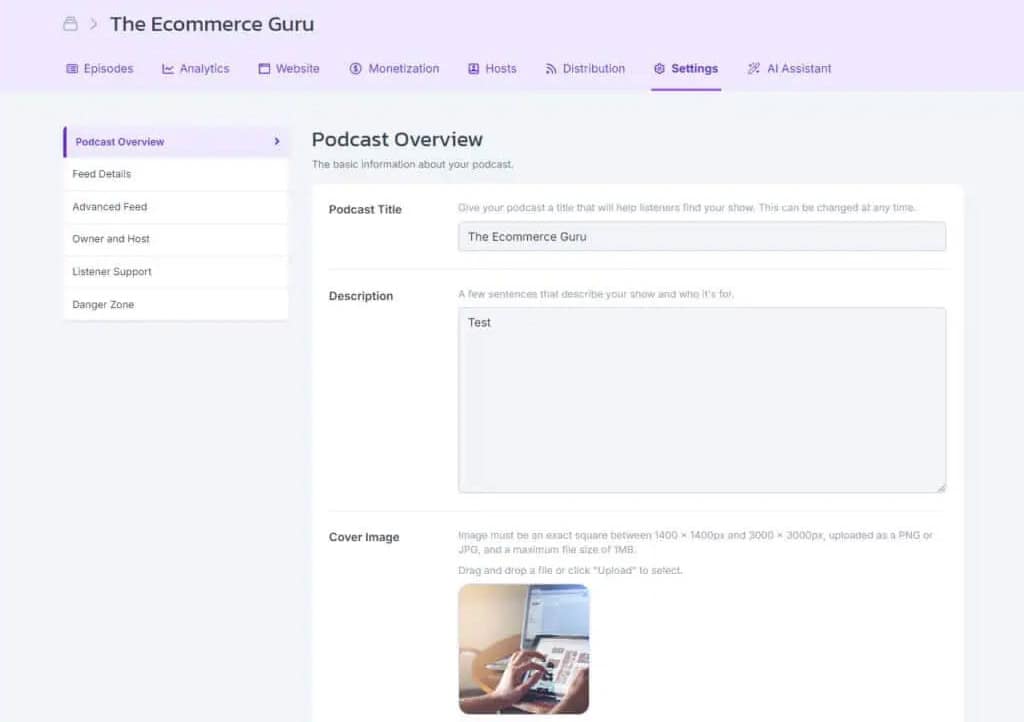
Get Your Feed And Website
Castos creates the RSS feed podcast apps need and a customizable site where listeners can find every episode.
-
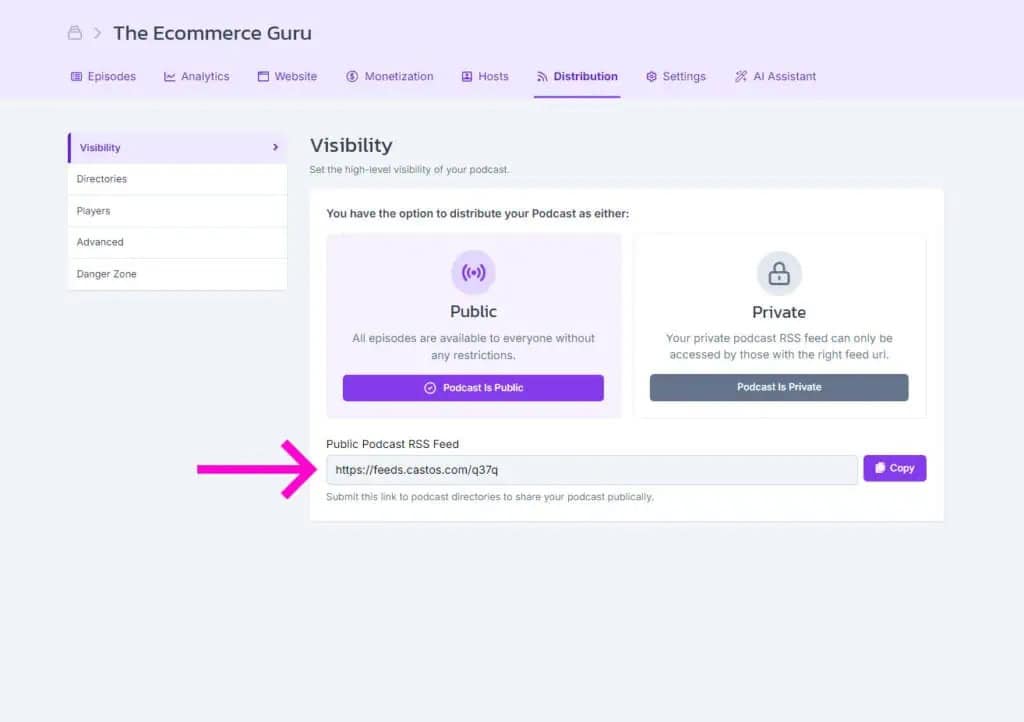
Publish Everywhere
Submit your feed to Apple Podcasts, Spotify, and other directories once. Future episodes are distributed automatically.
Frequently Asked Questions
How do I join multiple audio files into one MP3?
Is this audio joiner free?
Is my audio uploaded anywhere?
Can I add a crossfade between tracks?
How many files can I join, and how do I reorder them?
Why is the export always an MP3 at 128 kbps?
Related tools
Record and edit audio
Files never leave your browser.
- Voice Recorder Record, pause, and export a podcast-ready MP3.
- Audio Trimmer Cut the start and end of a recording on a waveform.
- Audio Converter Turn WAV, M4A, FLAC, and other files into a podcast-ready MP3.
- Audio Speed Changer Speed up or slow down audio without changing the pitch.
- Extract Audio From Video Turn an MP4, MOV, WebM, or MKV video into an MP3 or WAV.
Check your RSS feed
Plan and record
- Podcast Name Generator Get show name ideas with domain availability checks.
- Podcast Episode Planner Plan an episode, then get the guest email, a run sheet, and show notes.
- Microphone Test See your levels, hear how you sound, and check your room for noise.
- Podcast Teleprompter Read your script hands-free while you record on camera.
Design with Dynamo
Publish Your Joined Episode With Castos
Upload your MP3, create your podcast feed, and distribute every episode from one place.