Record, edit, and publish without leaving Castos
Castos Studio brings remote recording and editing into the platform that already hosts your show. Bring your guest in on a link, cut the parts you don't want, and send the finished episode to your feed. One workflow, start to finish.
Castos is trusted by the top creators

Everything in one place
Most podcasters record in one tool, edit in a second, then upload to a third. Every handoff is a file to export, a login to remember, and another line on the credit card. Studio collapses all of it.
One workflow, not three
Record the interview, edit it, and publish it to your feed from the same place. No exporting, no re-uploading, no wondering which version of the file is the good one.
One bill instead of two
If you're already hosting with Castos and paying separately for a recording tool, Studio replaces that second subscription. Same show, one invoice.
Your recording is safe
Every participant records locally at full quality while the session uploads continuously in the background. Lose your connection and the upload picks up where it left off.
Studio is in private beta
We're inviting a small group of Castos customers to record and publish their first episodes with Studio before it opens to everyone. Tell us about your show and we'll be in touch.
How Studio works
Built for the interview show that ships every week - not for audio engineers with a mixing console.
Your guest just clicks a link
Share one studio link and use it for every session. Guests join in their browser with no account to create and nothing to download. Up to four people can record together.
Problems get caught before you record
Everyone passes through a green room first: pick your mic and camera, watch the level meter move, confirm your browser is supported. Fix the setup before it ruins the take, not after.
A separate track for every person
Studio records each participant locally at full quality, so your audio never depends on anyone's wifi. The session backs itself up on our servers too, in case a laptop dies mid-sentence.
Edit with the transcript beside you
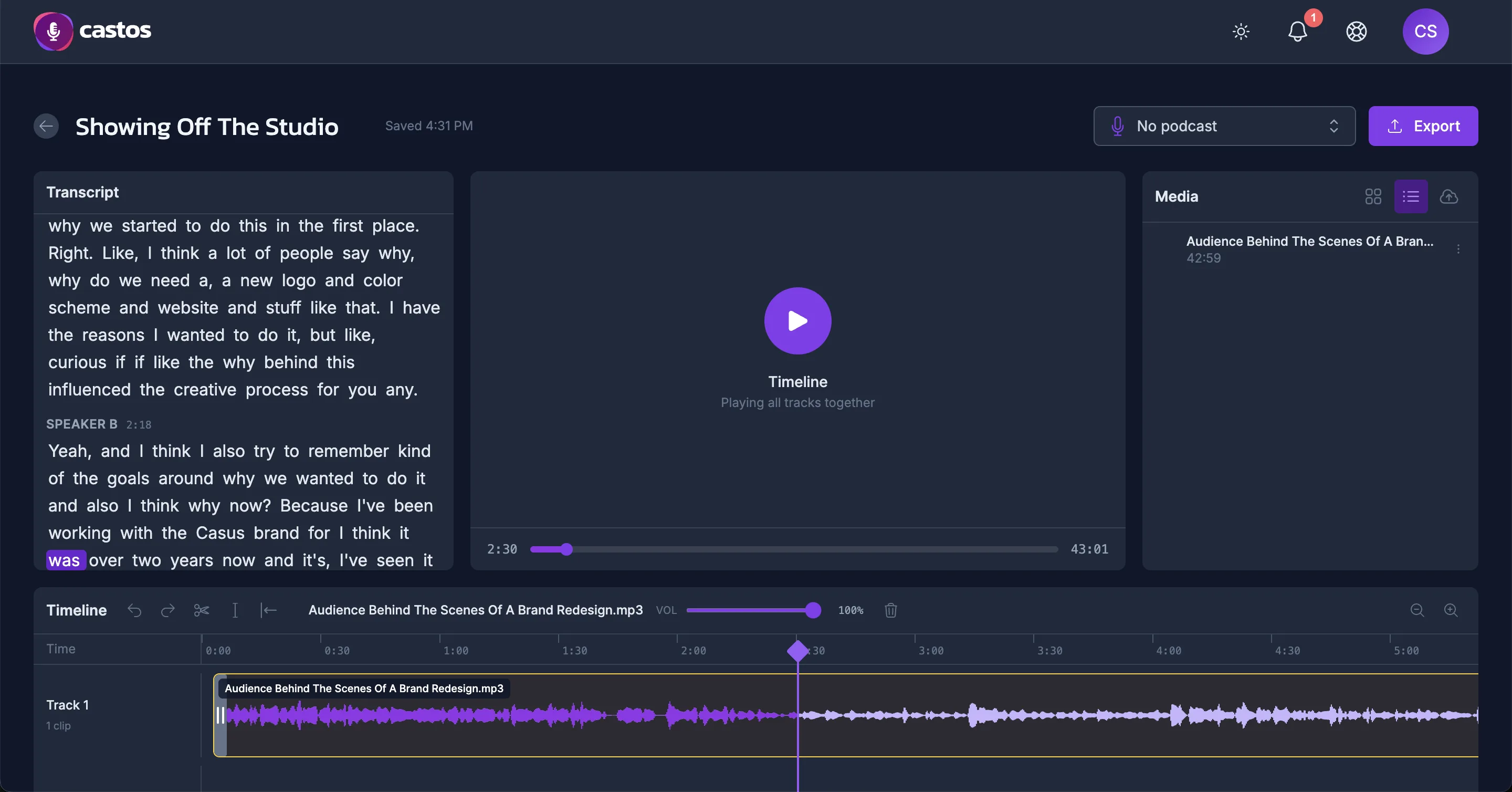
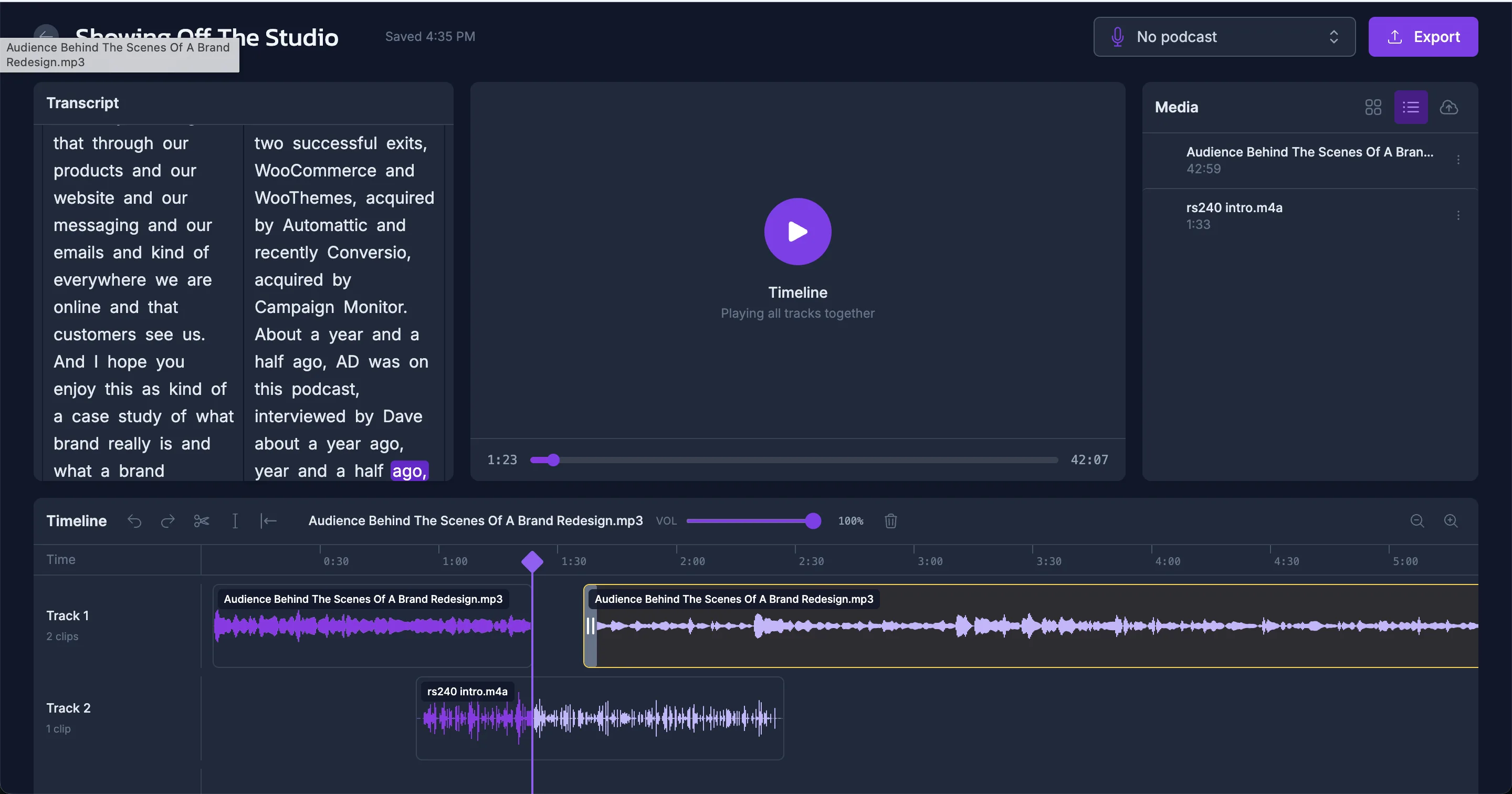
Trim the small talk off the top, cut the tangent in the middle, and undo it all if you change your mind. The transcript sits alongside the timeline - click any word to jump the playhead there.
Nothing is ever destroyed
Your original recordings are never modified. Every cut is stored as a separate instruction, so you can revert to the untouched tracks at any point, even after you've published.
Cleanup happens on export
When you export, Studio reduces background noise and levels the loudness to broadcast standard automatically. No plugins to configure, no settings to get wrong.
A timeline that stays out of your way
What our customers say
Castos and the Seriously Simple Podcast plugin have made podcasting so much easier for me and our team. Since switching to Castos, everything is managed on the backend of our website which saves so much time and limits potential mistakes.

Wellness Mama
Castos makes it super simple to manage our shows. It's much faster and more seamless than the other services we've used.

Unmistakable Creative
From guest to published episode in 3 steps
The whole pipeline lives in one dashboard. You never export a file to move it between tools.
-
Record the conversation
Send your guest the studio link. Everyone checks their setup in the green room, you hit record, and each person's audio is captured locally at full quality.
-
Clean it up
Trim the ends, cut the parts you don't want, and use the transcript to find them fast. Recorded somewhere else? Upload those files and edit them here instead.
-
Publish to your feed
Send the finished episode straight to one of your Castos podcasts. The transcript comes with it, and your RSS feed updates on its own.
Help us build the recording tool podcasters actually want
Studio is in private beta with a small group of Castos customers. If you record remote interviews and you're tired of juggling tools to get an episode out, we'd like to hear from you.