Introducing Castos Campaigns

If you run a podcast that has sponsors or internal promotions you’re going to love the latest addition to Castos.
Introducing Castos Campaigns
Add pre-roll and post-roll audio to your episodes. Campaigns are ideal for your promotions, paid sponsorship, or time-boxed offers and messaging.
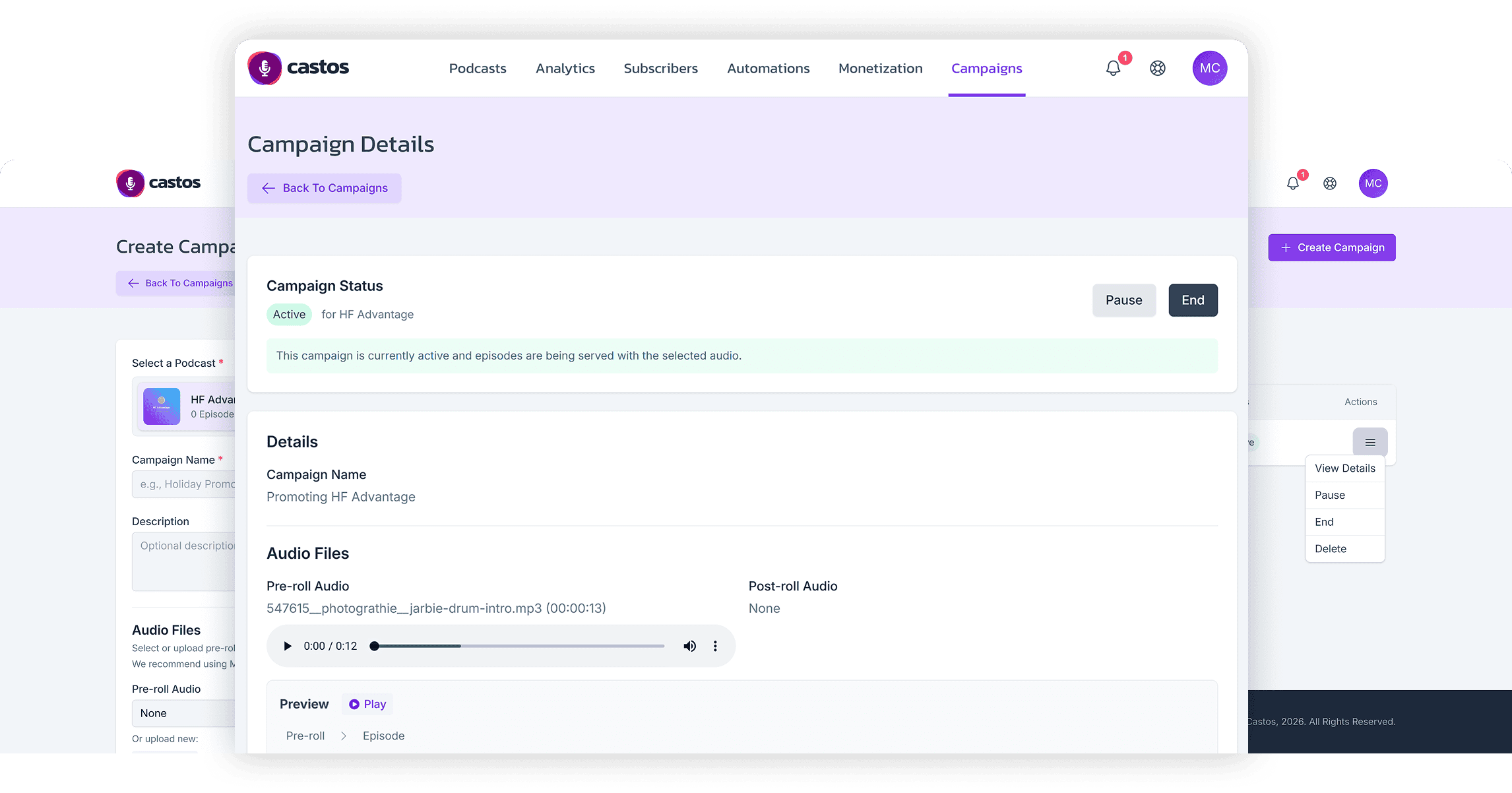
Castos Campaigns adds dynamic pre-roll and post-roll audio to your episodes for a specific start and end date. This let’s you run promos, sponsorship reads, and time-boxed offers without all the manual editing. Upload your clips once in the Castos dashboard, set the time range you want them to run, and every eligible episode on that show can carry the same message until you’re ready to change it.
See Campaigns in context
If you’ve ever had an offer expire, a link break, or a mid-season sponsor swap, you already know the pain: hunting down source files, re-exporting episodes, and re-uploading everything just to keep your episodes accurate. Campaigns treats your catalog like a living marketing asset so you can launch, refresh, or remove messaging across many episodes in minutes instead of hours. Your listeners still hear smooth, professional transitions at the start and end of the episode without noticing any changes or hiccups.
How Campaigns work
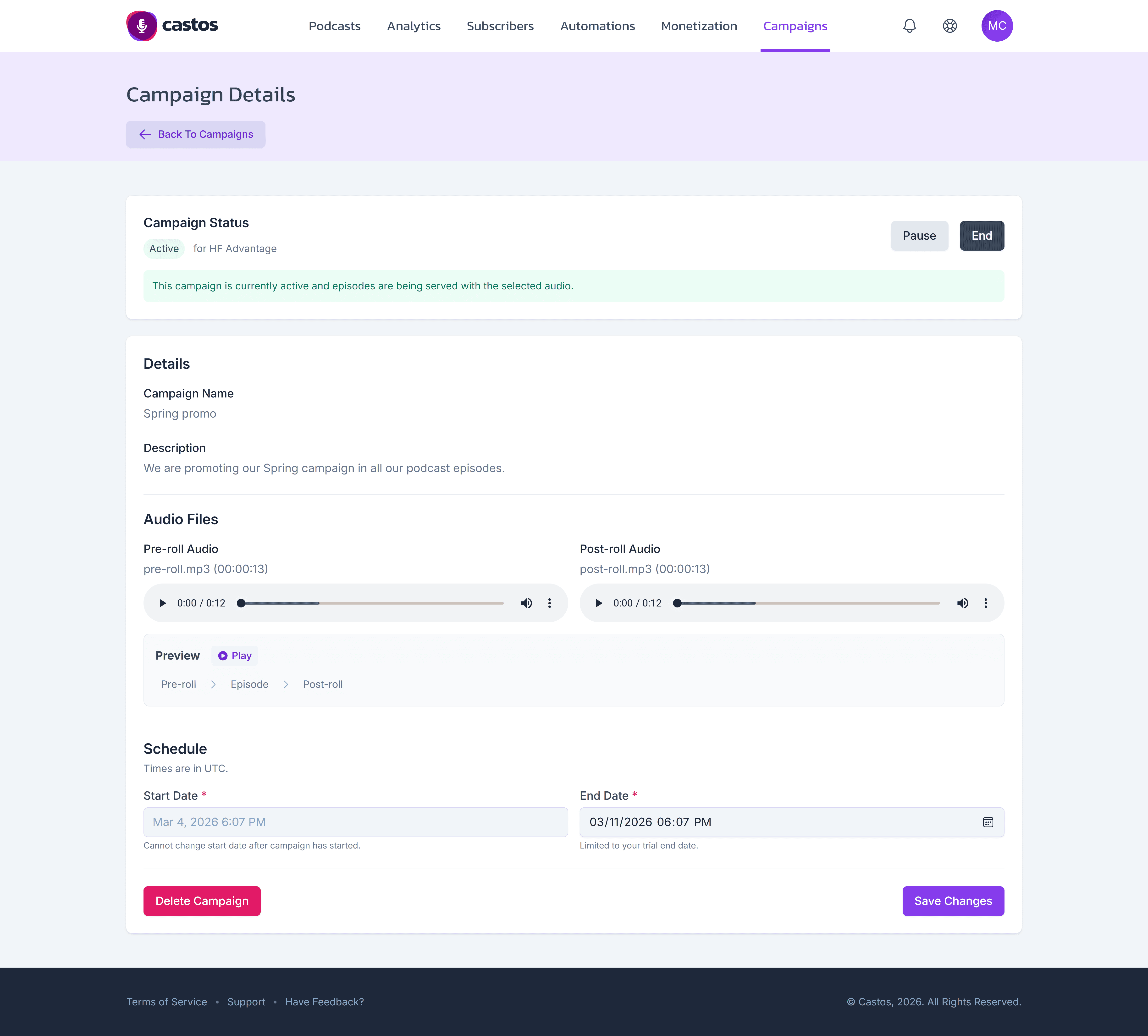
The focus is to make this as easy to maintain for you as possible. All your options are shown in just one screen, which you can see above.
Here’s how you make it happen:
- Open Campaigns in your Castos dashboard and create a new campaign.
- Choose the podcast (show) it applies to.
- Add a name and description, then upload or select pre-roll and/or post-roll audio.
- Set your start date and end date, create the campaign, and confirm.
Your pre- or post-roll audio is saved for easy reference for the future if you want to use it again or for a different show.
See our documentation for the step-by-step details: Create a Campaign.
Live edits without impacting your stats or audio quality
Campaigns uses dynamic insertion so listeners get high-quality, seamless pre- and post-roll without you re-encoding your original episode files. Simply put: your audio-file doesn’t change, it’s updated dynamically. This ensures that your download statistics stay accurate, and the integrity of your master recordings is preserved. Campaigns layers messaging on top of your hosting workflow instead of asking you to replace the source of truth.
Manage campaigns without guesswork
While a campaign is running, you’re in control from the Actions menu: view details, pause or resume, end early, or delete (permanent). Pausing or ending reverts the RSS feed and Castos players to your original, non-stitched audio; as with any feed change, allow time for directories to catch up.
Important workflow note: you can’t change the pre- or post-roll audio after creation. If the creative needs to change, end the current campaign and create a new one with the updated files. See our docs for more details: Manage a Campaign.
Explore Castos Campaigns by logging into the dashboard and create your first campaign, today. We are actively seeking more customer feedback and have already seen great results from many existing customers. Keep the replies and feedback coming, we’re listening!
Launch Your Podcast In Minutes
Castos makes launching simple with one-click setup, automatic distribution to all platforms, and professional hosting. No technical skills required.
Start your 14-day free trial