
How to Tell Listeners Whether AI Made Your Podcast

How many new podcasts are AI-generated? In April 2026, Bloomberg reported that about 4,243 of the 10,871 new feeds created over roughly nine days, or 39%, might have been AI-generated, based on Podcast Index data. When we checked the Podcast Index’s New Feeds Report on November 5, 2026, it put the figure at 2.3%: 34 of the 1,464 feeds in its latest 24-hour window.
We wouldn’t read that as AI shows fading. It’s one day, and the report says its AI flag is estimated with keyword heuristics, looking in titles, descriptions, and authors for “mentions of AI tools, text-to-speech, NotebookLM, deep dives, etc.” So a show about AI can get flagged, while an AI-made show that never mentions it can slip through.
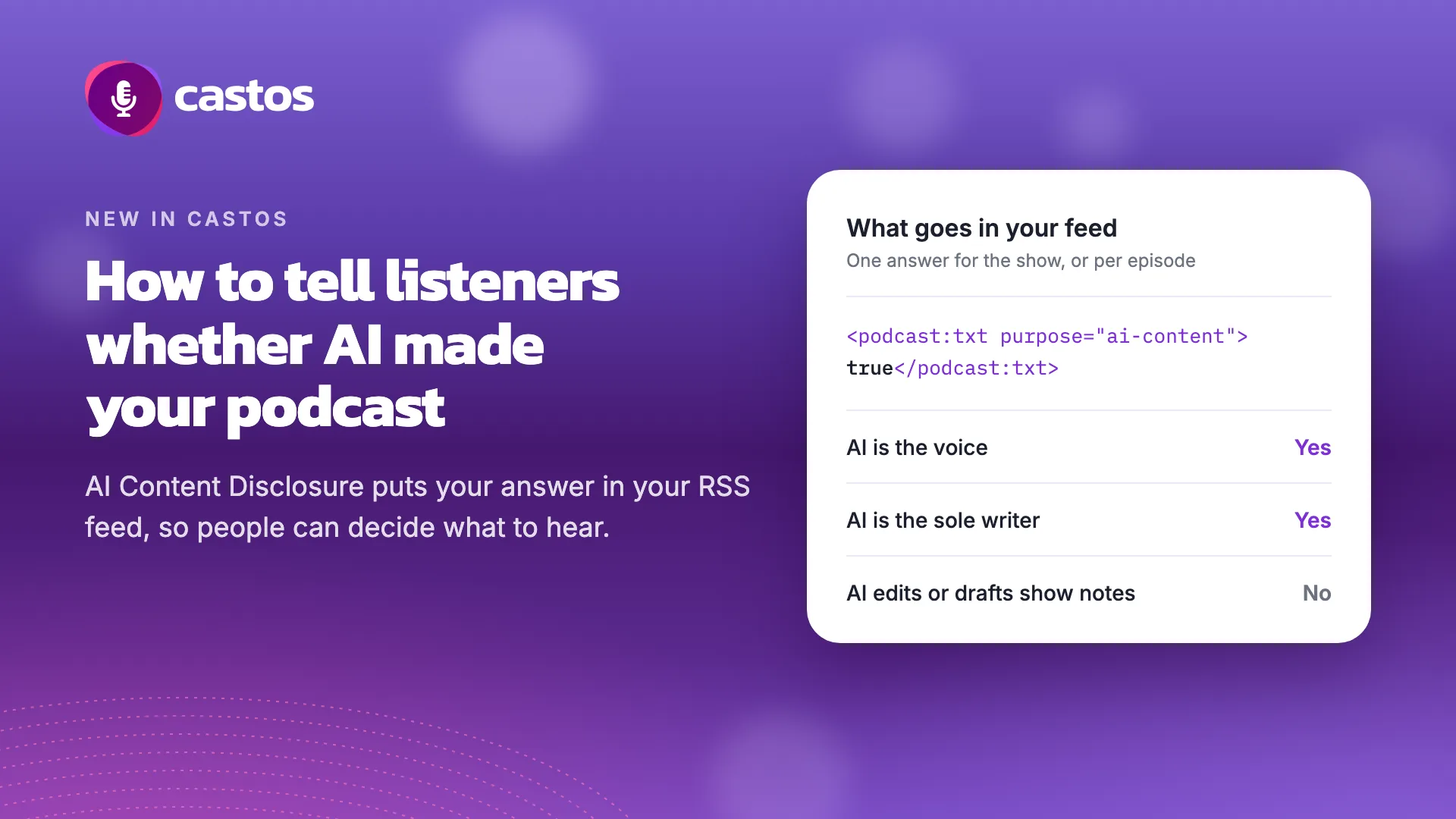
Apple has told creators that AI-generated audio has to be disclosed, and we want listeners to be able to tell which shows people made and which AI made. So we added AI Content Disclosure to Castos: you say whether AI plays a leading role in your podcast, and we publish your answer in your RSS feed with a Podcasting 2.0 tag.
When to answer Yes
Our rule of thumb: answer Yes when AI is the voice or the sole writer, and No when AI is a production tool. Listeners draw a similar line. In Edison Research’s Evolving Ear findings, reported in January 2026, they were open to AI helping with scripts, editing, and transcription, and pushed back hardest on hosting and narration. Some said they would feel “cheated” or “robbed” if they learned that a host they believed was human was AI.
You’d answer Yes if:
- An AI-generated voice hosts or narrates the show.
- The voice is an AI clone of you. Apple’s guideline names “AI-synthesized replicas of real individuals.”
- AI wrote the whole script, even if a person reads it aloud. Apple’s rule is about generated audio and video, but we think a listener would want to know this too.
You’d answer No if:
- AI helps you edit or mix the audio.
- AI drafts your show notes, titles, or social posts, which is what the Castos AI Assistant does.
- You use AI for research or a rough outline, then write the script yourself.
You can set an answer for the whole podcast and a different one for any episode, so a mostly human show can mark just its one AI-narrated episode. Any episode set to Yes also sets the podcast-level tag in your feed to true.
If your show falls somewhere in between, try Should I Disclose, a free tool made by Alberto Betella, cofounder of RSS.com. It asks six yes-or-no questions about an episode and tells you whether it recommends a label.
What Apple asks for
Section 1.11 of Apple’s content guidelines covers creators who use AI to generate audio or video, including synthetic voices, AI-generated hosts, and replicas of real people. They “must prominently disclose this to audiences in the content and metadata for each episode and show.”
“In the content” means the setting alone won’t cover you. Say it in the audio and in your show and episode descriptions too. A plain opening line works: “The narration in this episode was generated by AI.”
How to set it in Castos
For your whole podcast:
- Go to Settings → Feed Details.
- Find AI Content Disclosure and choose Yes or No.
- Click Save.
If your show doesn’t have an answer yet, you’ll need to choose one the next time you save your feed settings.
For a single episode:
- Open the episode and find Episode’s Meta Details.
- Below Episode Type, find AI Content Disclosure and choose Use podcast setting, Yes, or No.
- Save the episode with Publish, Schedule, Update, or Save Draft.
If you’re moving to Castos from another host and your feed already includes the tag, your answers come with you.
What this setting can’t do
It runs on trust. Your answer goes in the feed as <podcast:txt purpose="ai-content">, and the Podcasting 2.0 spec says it works “exactly like itunes:explicit.” Nobody checks it. Someone determined to hide AI can answer No.
Listeners won’t see it in their apps yet. As far as we know, no major podcast app shows a label based on this tag, and we haven’t seen Apple announce plans to use it for podcasts. For now, the words in your audio and descriptions are what listeners will notice.
It won’t slow mass production. Inception Point AI’s hosts already say they’re AI at the top of each episode, and by the company’s own figures it went from about 5,000 shows to more than 10,000 anyway.
A Yes may cost you listeners. Sounds Profitable asked in 2025 how people would react if AI voices came to a favorite podcast: 47% of podcast consumers said they would be less likely to keep listening, including 28% who would be much less likely, while 21% said they would be more likely to. John McDermott of Caloroga Shark Media told Podnews he’s willing to disclose but doesn’t want to be “unnecessarily penalized for it.” We still think a listener who chooses your show knowing how it’s made is better for you than one who feels cheated later.
Why it’s a Podcasting 2.0 tag
Podcasting 2.0 is a set of open additions to RSS that any host or app can adopt, the same system that delivers Castos transcripts to podcast apps, so your answer isn’t locked inside one company’s dashboard. RSS.com added a disclosure prompt in March 2026 that writes to this tag, and Spreaker exports its creators’ flags to the feed using the same standard and shows a label on its own site and apps. The more hosts publish the same signal, the more reason apps have to do something with it, whether that’s a label or a filter. Anyone counting AI shows would also have something better to read than keywords.
Launch Your Podcast In Minutes
Castos makes launching simple with one-click setup, automatic distribution to all platforms, and professional hosting. No technical skills required.
Start your 14-day free trial